
Faster Client Follow-Up with Session Summary Automation
Last Updated on November 15, 2026
Quick Summary: Session summary automation transforms raw therapy consultations into structured clinical notes and clear Client action items within seconds. By pairing built-in transcription with intelligent clinical structuring, Hypnotes’ AI Assistant helps behavioral health practitioners finish progress notes between sessions, eliminate evening chart backlog, and deliver immediate post-Session instructions that improve Client adherence.
Session summary automation cuts the administrative lag that quietly drains mental health practices. If you’re seeing six to eight clients a day, there’s almost no room between appointments to process what just happened clinically. Notes pile Up until 8:00 PM, nuanced details fade, Follow-Up letters stall, and exhaustion compounds. Practice management AI steps in at exactly that pressure point.
Documentation lag doesn’t just frustrate therapists — it harms outcomes. Clients who leave without clear written takeaways lose therapeutic momentum fast. They forget the behavioral experiments, journaling prompts, and scheduling updates you discussed. When you hand the initial transcription and summarization to an integrated AI scribe, you stay fully present with your Client while your documentation stays audit-ready.
Why Manual Documentation Delays Client Follow-Up
Writing comprehensive progress notes forces a mental gear-shift that most clinicians underestimate. You’re moving from clinical empathy to analytical record-keeping, often working from disjointed handwritten jottings you promised yourself you’d expand later. That gap is where friction lives.
The administrative burden isn’t anecdotal. An Harvard Business Review analysis on AI improving healthcare documentation makes clear that excessive charting drives chronic administrative fatigue across clinical settings. Behavioral health providers feel it acutely — therapeutic interactions hinge on spoken nuance, emotional tone, and non-verbal pacing that are genuinely hard to capture quickly by hand.
Delayed documentation directly degrades Client compliance and continuity between visits. When notes get written hours or days after the appointment, drafting Client-facing Follow-ups becomes a separate chore you May skip entirely. Action plans stay locked in clinical records instead of reaching the Client’s inbox while their motivation is still high.
How Does Session Summary Automation Work in Telehealth?
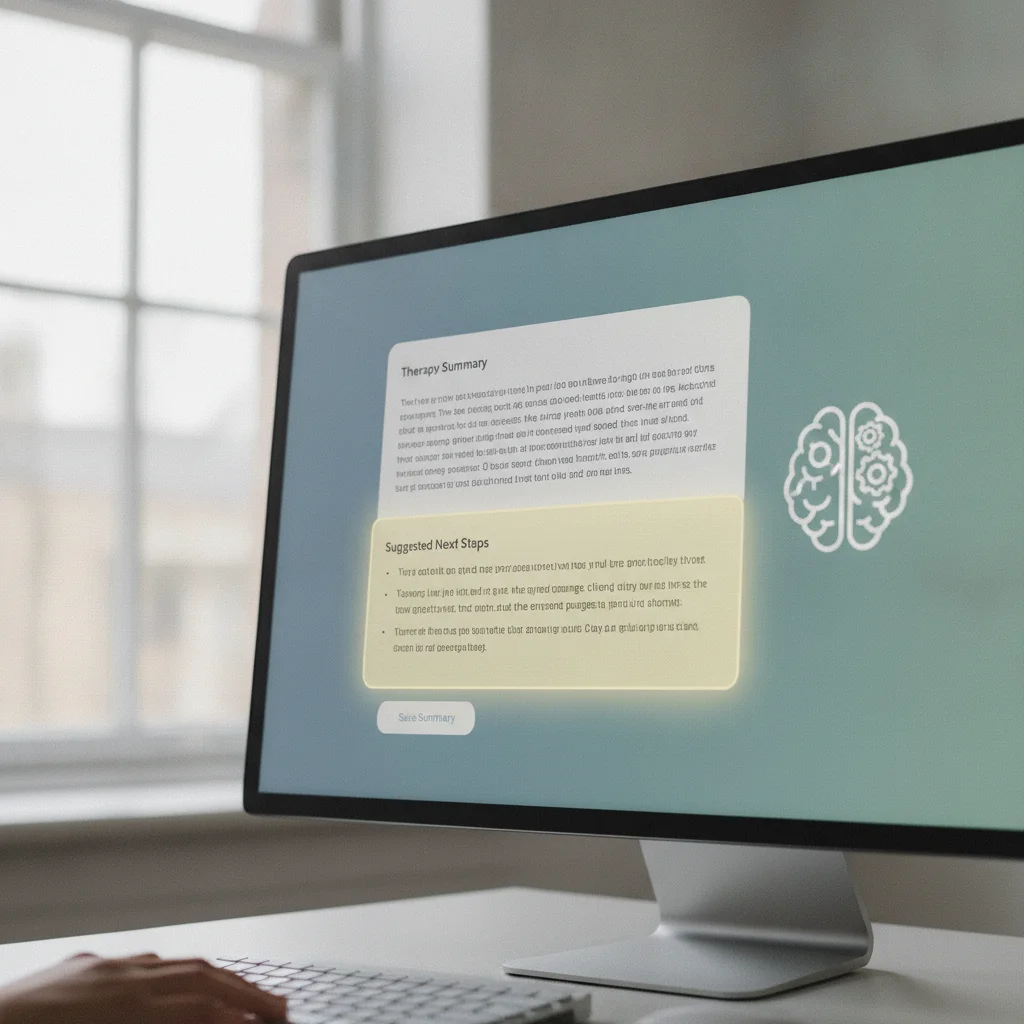
The process is simpler than it sounds. Session summary automation captures the audio stream during a secure telehealth appointment, converts the spoken dialogue into organized text, and structures it as professional clinical documentation — all while you maintain eye contact with the person on your screen.
Federal research backs the practical value. An NIH report on AI assistance for clinical documentation found that ambient digital tools significantly reduce time spent on clerical tasks without sacrificing chart quality. In mental health specifically, therapy documentation AI categorizes conversation threads into formal clinical categories — subjective experiences, objective behavioral markers, clinical assessments, upcoming treatment steps — without you typing a word.
Hypnotes embeds this technology directly inside a HIPAA-compliant telehealth environment. No third-party transcription plug-ins, no external recording devices on your desk. The native Hypnotes AI Assistant features handle everything inside your encrypted practice management system.
Step-by-Step Workflow: From Video Session to Client Action Plan
Switching to automated documentation works best when you Follow a consistent sequence. Here’s how to move from a live telehealth appointment to an approved clinical note and Client email in under three minutes.
- Initiate the Telehealth Session: Launch your appointment inside Hypnotes. The platform manages your video call with built-in security, so you’re meeting privacy regulations without juggling third-party software.
- Activate the AI Assistant: With Client consent, enable transcription. The AI scribe listens passively as you work through symptoms, cognitive distortions, coping strategies, and personal milestones.
- Instant Transcript Structuring: The moment you end the call, the AI Assistant analyzes the dialogue. It isolates key themes, screens for safety signals, and Generates a structured clinical draft in your chosen format — SOAP or DAP, for instance.
- Separate Internal Notes from Client Summaries: The system produces two distinct outputs: a detailed progress note for your records, and an accessible Client-ready summary covering agreed-upon homework, insights, and next Session details.
- Clinical Review and One-Click Dispatch: You keep full editorial control. Spend sixty seconds reviewing the draft, adjust any diagnostic nuance, and sign off. Send the Client summary straight to their secure portal or email.
Retaining final editorial control preserves clinical integrity while cutting administrative time by half. The automated system never files a document on its own — it gives you an accurate first draft, and you have the final word on every entry in your records.
Manual Note-Taking vs. Session Summary Automation
The practical gap between traditional charting and ambient clinical systems shows Up quickly across a standard practice week. Here’s how the two approaches compare on the metrics that actually matter.
| Workflow Metric | Manual Note-Taking | Session Summary Automation |
|---|---|---|
| Drafting Time per Client | 10 to 15 minutes of typing | 1 to 2 minutes of review |
| Clinician Attention in Call | Divided between Client and notepad | Undivided focus on Client non-verbals |
| Follow-Up Delivery Speed | 24 to 48 hours later (or omitted) | Immediate dispatch post-Session |
| Format Consistency | Varies based on daily energy levels | Standardized clinical frameworks (SOAP/DAP) |
| End-of-Day Overtime | 1 to 2 hours of evening charting | Zero evening documentation backlog |
Relying on memory and hasty shorthand increases chart errors and leaves you exposed during clinical audits. Automated drafting captures every critical discussion point accurately — and doesn’t cost you two hours of your evening to do it.
How Does Automated Documentation Improve Client Outcomes?

Therapy progress depends heavily on what clients do between weekly sessions. A Client working on panic management needs immediate access to the grounding techniques you just practiced together — not a vague recollection of what was discussed.
When clients receive a clear summary right after a Session, accountability goes Up. They review their assignments while the conversation is still fresh. It removes the ambiguity around homework tasks, journaling prompts, and lifestyle changes that can otherwise get fuzzy within hours of leaving the appointment.
Clear written Summaries reinforce the therapeutic alliance by showing clients that their clinician heard every concern. Receiving structured notes that reflect their exact words and personal breakthroughs builds trust in ways that verbal reassurance alone can’t replicate — and that trust reduces dropout rates over the course of care.
Solving the Security Question: HIPAA Compliance and Confidentiality
Introducing AI into clinical spaces raises a legitimate concern: what happens to the audio? You can’t paste clinical transcripts into consumer AI tools without running into federal compliance issues. That’s not a hypothetical risk — it’s a HIPAA violation.
Hypnotes addresses this through enterprise-grade security protocols. The platform signs a Business Associate Agreement (BAA) with your practice, covering full HIPAA compliance. The transcription technology processes everything inside an encrypted perimeter, and audio data is never retained, sold, or fed into open machine learning models.
Using purpose-built practice management AI protects your clinical license while delivering high-speed documentation. You get the operational benefits of modern computational linguistics without putting Client confidentiality or your professional ethics at risk.
Reclaiming Your Clinical Schedule with Hypnotes
A sustainable practice requires systems that protect the therapist’s mental energy. Spending hours each evening typing repetitive notes depletes your clinical empathy over time — and shortens careers. Technology should absorb the administrative load so you can stay focused on the clinical work you’re actually trained to do.
Hypnotes brings appointments, video calls, secure forms, billing, and intelligent charting together in one place. Review the flexible Hypnotes pricing plans to find a tier that fits your solo practice or growing group clinic. With integrated documentation tools, your administrative day ends the moment your last Client signs off.
Ready to Eliminate Your Documentation Backlog?
Experience Session summary automation firsthand. Cut documentation time, deliver clear Client Follow-ups, and leave work on time every day.
Frequently Asked Questions
How does Session summary automation protect Client confidentiality?
Hypnotes processes audio and generated clinical notes inside a HIPAA-compliant infrastructure with end-to-end data encryption. Audio data is not sold or used to train public machine learning models.
Can the AI Assistant draft specific clinical formats like SOAP or DAP notes?
Yes, the AI Assistant structures transcripts into standardized clinical documentation formats, including SOAP, DAP, and intake assessments, while separating therapist-only progress notes from Client-facing Summaries.
Do I need separate software to run telehealth and AI transcription?
No, Hypnotes integrates scheduling, secure telehealth, audio transcription, and documentation drafting within a single practice management platform.
Can I edit the automated summary before sending Follow-Up instructions to my Client?
Always. The platform treats every AI draft as a preliminary review item, allowing you to modify clinical observations, adjust phrasing, and approve action items before saving or sending.