

AI Assistant Follow Up: How to Boost Engagement and Cut No-Shows
Last Updated on October 5, 2026
Quick Summary: An AI assistant follow up workflow lets private practices automate appointment reminders, homework check-ins, and intake forms without adding hours of manual admin. By triggering timely text and email check-ins between sessions, therapists cut no-shows, keep clients on track with their treatment plans, and protect practice revenue.
Solo and group practice owners spend hours every week juggling clinical work and administrative clutter. Between drafting progress notes, sorting billing disputes, and preparing for consultations, client check-ins slip down the priority list. Once clients walk out your door, the momentum you built in session often fades against work pressure, family schedules, and daily friction.
Manual follow-up does not fix this gap. Most clinicians genuinely want to check in on assigned exercises, send missing intake packets, or confirm tomorrow’s calendar, but administrative fatigue gets in the way. That leads straight to empty calendar slots, missing assessments, and stalled therapeutic progress. Automating your client communication removes administrative gridlock while giving clients the structure they need to stay engaged in therapy.
Why You Need AI Assistant Follow Up in Behavioral Health
An AI assistant follow up workflow bridges the gap between sessions. It runs your standard client touchpoints automatically so you can focus on actual clinical work instead of staring at calendar entries at 8:00 PM.
A missed session often snowballs. When a client skips two appointments in a row without direct contact, the odds of permanent dropout jump dramatically. Automated systems prevent this drop-off by keeping a reliable schedule of touchpoints in place without taking up your weekends.
With the AI Assistant for Therapists inside Hypnotes, you can set up targeted workflows that send SMS reminders, share post-session reflection prompts, and collect feedback surveys automatically. The system runs in the background, keeping your calendar steady and your clients connected.
The Operational Stance: Structured Boundaries Over Ad-Hoc Messaging
Avoid open-ended back-and-forth texting with clients on personal phone lines. It erodes clinical boundaries and sets up an unrealistic expectation of constant availability. Instead, use structured automated touches: direct appointment confirmations, secure intake links, and time-released reflection prompts that steer clients back into their secure portal.
How Does Automated Patient Engagement Reduce Therapy No-Shows?
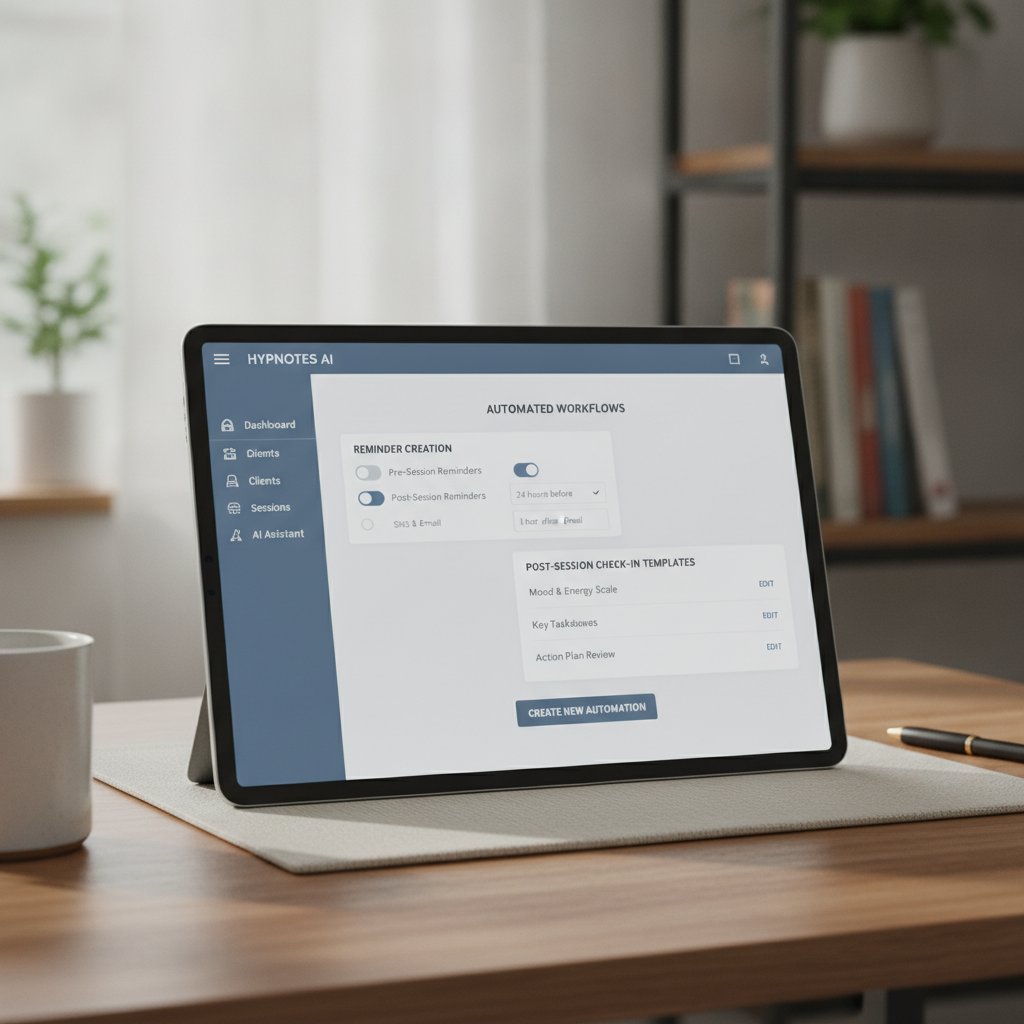
Automated systems reduce no-shows by delivering clear reminders across multiple channels at predictable intervals. A comprehensive NIH study on appointment reminders reducing no‑show rates confirmed that automated notifications steadily reduce missed appointments across clinical settings by eliminating basic calendar oversights.
Every missed session costs a private practice between $100 and $250 in lost revenue. It also halts client momentum. Relying on memory or manual sticky notes means late cancellations slip past you. A structured three-stage notification cadence stops that pattern:
- 48-Hour Advance Confirmation: Gives clients enough time to reschedule within your policy window, freeing the opening for someone on your waitlist.
- 24-Hour Actionable Reminder: Shares one-click telehealth join links or clear directions to your physical office.
- 2-Hour Final Nudge: Delivers a short text alert to cut down on day-of forgetfulness.
Consistent automated reminders remove scheduling friction and protect your bottom line without eating up clinical hours.
5-Step Setup: Building an AI Assistant Follow Up Workflow in Hypnotes
Setting up an automated follow-up sequence in Hypnotes takes less than fifteen minutes. Here is the step-by-step setup:
- Configure Your Delivery Channels: Head to your Hypnotes communication settings. Choose whether you want to send notifications via SMS, email, or both.
- Establish Time-Based Triggers: Define your timeline rules. A practical cadence is setting booking confirmations at 48 hours out, telehealth join links at 2 hours out, and follow-up prompts 4 hours after session completion.
- Assign Document and Survey Automation: Attach intake paperwork, symptom trackers, or outcome measures to the initial booking trigger so clients finish paperwork before session one.
- Personalize Message Templates: Add merge tags like client first name, appointment time, provider name, and telehealth link so every message sounds natural.
- Activate and Monitor Delivery: Turn on the workflow. Check your delivery logs directly in your mental health CRM dashboard to verify messages are landing consistently.
Ready-to-Use Follow-Up Scripts for Private Practice
Here are three battle-tested templates designed for behavioral health practices. You can drop these directly into your Hypnotes message manager.
Script 1: Pre-Session Telehealth Confirmation (24 Hours Prior)
“Hi {{Client_First_Name}}, this is a quick reminder of your upcoming appointment with {{Provider_Name}} on {{Appointment_Date}} at {{Appointment_Time}}. You can join your secure video room directly using this link: {{Telehealth_URL}}. If you need to reschedule, please let us know at least 24 hours in advance.”
Script 2: Post-Session Reflection & Homework Prompt (4 Hours Post-Session)
“Hello {{Client_First_Name}}, thank you for your work in session today. Take 5 minutes this evening to write down one key insight or action item we discussed. You can review your shared session resources inside your client portal here: {{Portal_URL}}.”
Script 3: Outcome Measure & Feedback Request (Bi-Weekly Trigger)
“Hi {{Client_First_Name}}, as part of our commitment to your progress, please complete this brief 2-minute check-in survey before our next appointment: {{Survey_Link}}. Your input helps us tailor our upcoming sessions to your goals.”
Manual Follow-Up vs. Hypnotes Automated Engagement System
Switching from manual tracking to an automated follow-up setup cuts repetitive admin out of your week. Here is how the two workflows compare side by side.
| Practice Workflow | Manual Follow-Up Method | Hypnotes Automated Assistant |
|---|---|---|
| Appointment Reminders | Manual phone calls or manual texts sent during evening hours. | Timed SMS and email reminders sent automatically based on preset rules. |
| Intake Forms & Documents | Printed paper packets or manually emailed PDF attachments. | Digital, secure forms delivered upon booking and tracked in real time. |
| Post-Session Retention | Rarely performed due to time constraints and administrative burnout. | Automatic reflection check-ins and outcome surveys sent on schedule. |
| Weekly Admin Time | 4 to 8 hours spent on repetitive messaging and scheduling calls. | Zero manual hours required once triggers are configured. |
Is Automated Follow-Up Compliant with Healthcare Privacy Rules?

Automated messaging in behavioral health is fully compliant when you run it through secure, encrypted software built for healthcare. Providers must adhere to the HHS HIPAA Privacy Rule overview, safeguarding Protected Health Information (PHI) across every channel.
Standard consumer text messaging apps and standard email services fall short because they store unencrypted data on third-party servers. Hypnotes protects privacy by omitting diagnostic details from notifications and using secure authentication tokens for all portal logins and form submissions.
You can also include custom consent checkboxes during online intake. This step confirms that clients explicitly opt in to receive text or email reminders through their preferred method.
The Broader Impact: Boosting Patient Outcomes and Practice Growth
Automating client communication supports clinical outcomes as much as administrative sanity. Therapy requires sustained effort between appointments. When clients receive timely prompts, they stay more consistent with behavioral experiments, journaling exercises, and mindfulness practice.
Steady engagement protects your revenue baseline. Each preserved appointment safeguards billable clinical hours. Pairing automated reminders with integrated billing and clinical documentation keeps your practice running efficiently without burning you out.
Check out the options on our Hypnotes Pricing Plans page to pick the setup that fits your practice, whether you work solo or manage a growing group clinic.
Frequently Asked Questions
Can I customize the timing and text of automated messages?
Yes. Hypnotes gives you full control over message text, delivery schedules, and channels. You can build different reminder sequences for initial intake consultations, routine therapy appointments, or post-discharge check-ins.
Will automated follow-up messages sound robotic to my clients?
No. Using dynamic tags for client first names, specific session homework, and your practice signature keeps messages warm and personal. You write and edit the templates to match your clinical tone.
What happens if a client replies to an automated text message?
Client replies route straight to your secure Hypnotes communication inbox. You get an immediate notification on your practitioner dashboard so you can review and respond inside a secure environment.
Does Hypnotes charge extra fees for SMS and email reminders?
Automated reminders and client communications are included directly in the Hypnotes platform without surprise add-on fees. Check our pricing page for a full breakdown of included tools for solo and group practices.
Automate Your Practice Follow-Up Today
Eliminate no-shows, streamline intake paperwork, and keep your clients engaged between sessions with Hypnotes.