

How to Build HIPAA Compliant Intake Forms for Mental Health Practices
Last Updated on October 3, 2026
Quick Answer: To Build HIPAA Compliant Intake Forms for a Mental Health practice, you need end-to-end data encryption, signed Business Associate Agreements (BAAs), explicit consent disclosures, and direct EHR synchronization. Using a dedicated platform like Hypnotes lets you Build custom Online patient questionnaires, collect legally binding electronic signatures, and securely map clinical data straight to client charts without manual data entry.
Paper clipboards and fillable PDFs slow down your therapy practice. Worse, emailing unencrypted Intake packets exposes sensitive protected Health information (PHI) to major legal penalties. Adopting digital HIPAA Compliant Intake Forms protects your clinical license while saving your practice up to five administrative hours every week.
When a new client reaches out, they want a fast, private onboarding experience. Handing them a ten-page paper questionnaire in the waiting room wastes the first fifteen minutes of their diagnostic evaluation deciphering messy handwriting. That hurts the therapeutic alliance before the session even starts.
Why Traditional Intake Methods Risk Mental Health Practice Compliance
Most generic form builders are not built for psychotherapy. Standard website contact Forms or free survey tools rarely provide a signed Business Associate Agreement (BAA). Without a valid BAA, collecting Mental Health histories, emergency contacts, or insurance details on those Forms breaches federal privacy rules.
The HHS HIPAA Privacy Rule Overview outlines strict standards for safeguarding electronic protected Health information (ePHI). Mental Health records demand even tighter care than routine medical files. They often contain notes on trauma, psychiatric diagnoses, and family histories that could cause severe personal harm if exposed.
Relying on downloaded PDFs sent through standard email leaves unencrypted data resting on consumer email servers. Switching to an encrypted Online Intake workflow eliminates data leaks and keeps your practice fully Compliant.
The Real Cost of Broken Intake Workflows
- Lost Clinical Time: Clinicians spend 10 to 15 minutes per client manually retyping data into their EHR.
- Transcription Errors: Misread insurance group numbers or birth dates cause immediate claim rejections.
- Regulatory Fines: HIPAA violations for willful neglect can easily exceed $50,000 per violation category.
- Client Drop-Off: Clunky Intake flows lead prospective clients to abandon booking entirely.
How to Build HIPAA Compliant Intake Forms in Hypnotes Step-by-Step
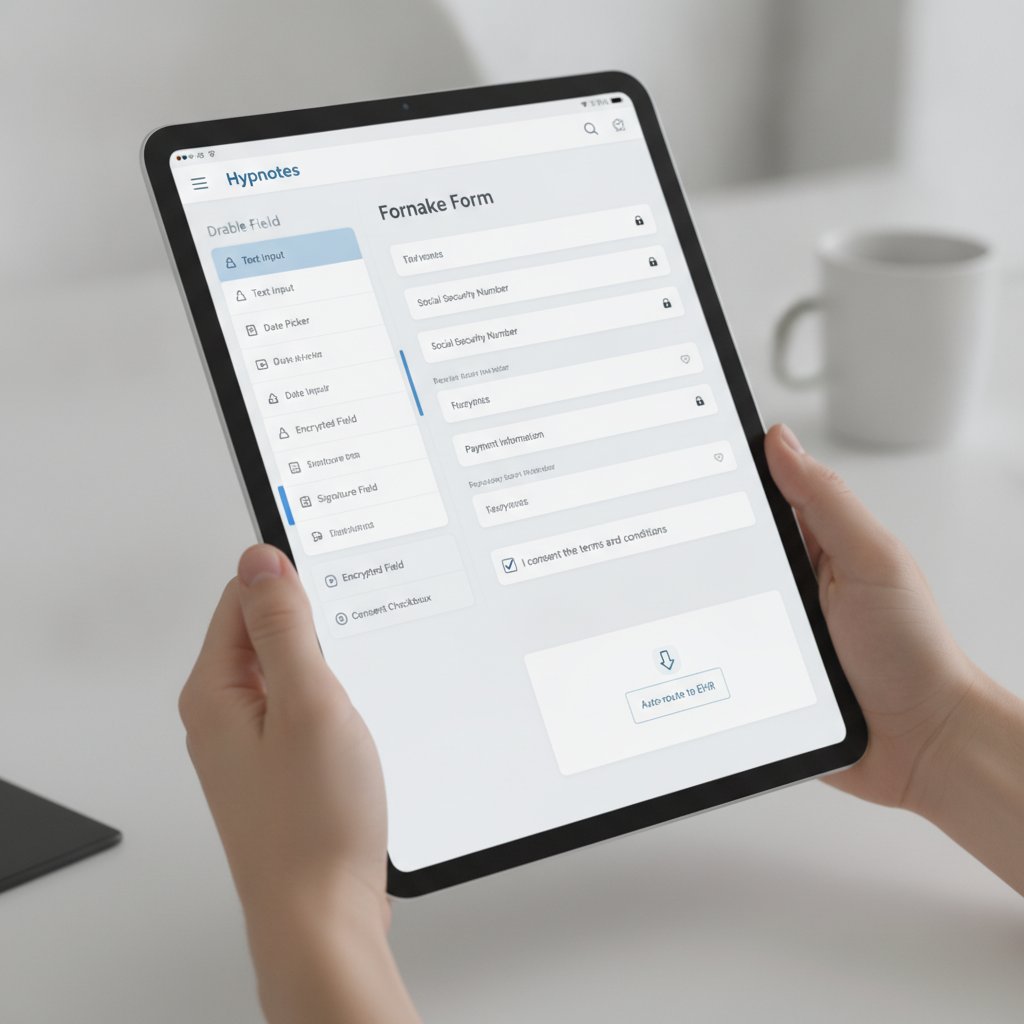
Building secure Intake workflows does not require complex coding or external web developers. Hypnotes combines form management, practice scheduling, and clinical records into one secure system. Follow this five-step guide to configure your practice Intake process in under twenty minutes.
Step 1: Select a Clinical Template or Create a Custom Form
Log in to your Hypnotes dashboard and navigate to the Forms & Surveys module. You can start from pre-built clinical Intake templates (such as adult behavioral Health intakes, adolescent history Forms, or PHQ-9/GAD-7 symptom screeners) or Build your form from scratch Using our drag-and-drop builder.
Add fields for personal demographics, emergency contacts, primary medical providers, and current psychiatric medications. Use conditional logic to keep the form clean. If a client checks “Yes” for previous psychiatric hospitalizations, set a text box to appear asking for dates and facilities.
Step 2: Add Mandatory Consents and Legal Disclosures
A complete Intake packet must include your practice policies alongside clinical questions. With Hypnotes, you can embed your standard legal disclosures directly into the form flow:
- Informed Consent for Psychotherapy
- HIPAA Notice of Privacy Practices
- Telehealth Consent and Technology Policies
- Financial Agreement and 24-Hour Cancellation Policy
Add legally binding e-signature blocks at the bottom of each consent section. Hypnotes records the signer’s IP address, timestamp, and verification trail automatically.
Step 3: Enable Direct EHR Field Mapping
Do not let form data sit isolated in static PDF attachments. Match your Intake fields to the client profile in your practice management software. When the client fills out their legal name, date of birth, address, and insurance details, Hypnotes writes that information directly into their primary chart. Automated EHR data mapping eliminates manual data entry errors and prepares your billing module instantly.
Step 4: Customize Form Branding and Client Portal Access
Add your practice logo, brand colors, and welcoming instructions. A clean, professional appearance reassures anxious clients that their data is handled with care. You can embed the Intake form directly onto your private website or send it automatically when a client books an initial consultation via your Hypnotes booking link.
Step 5: Test and Activate Automated Reminders
Run a test submission to verify that conditional fields show up properly on mobile screens. Once published, set automated SMS and email reminders through Hypnotes. If a new client has not completed their Intake packet 24 hours before their scheduled appointment, the system sends a gentle reminder to finish the paperwork Online.
What Mandatory Legal Language Must You Include in Therapy Intake Questionnaires?
Every therapy Intake requires specific regulatory disclosures to ensure both HIPAA compliance and clinical liability protection. You must clearly state your data retention Practices, boundaries of confidentiality, and mandatory reporting obligations.
State licensing boards and federal guidelines mandate that clients understand the limits of therapeutic privacy before disclosing sensitive data. Your Intake paperwork must clearly outline mandatory reporting thresholds and confidentiality exceptions before any clinical questions begin.
- Duty to Warn and Mandatory Reporting: Detail the legal exceptions to confidentiality, including threats of imminent self-harm, harm to others, or suspected abuse of children or vulnerable adults.
- Telehealth Risk Acknowledgments: Disclose the technology risks associated with remote therapy, internet connectivity disruptions, and emergency protocols for the client’s physical location.
- Credit Card and Auto-Pay Authorization: Secure authorization to store payment credentials securely for missed sessions, copays, or deductible balances.
- Coordination of Care (Release of Information): Include optional consent blocks allowing communication with primary care physicians or psychiatrists.
Explore all built-in clinical templates within the Hypnotes Practice Management Features suite to review standard consent language ready for immediate use.
Generic Form Builders vs. Dedicated Therapy Practice Management

Many solo clinicians attempt to cut costs by Using third-party form widgets. But generic tools lack critical medical billing connections, telehealth routing, and clinical charting integration.
| Feature / Capability | Generic Form Builders (Google Forms / Typeform) | Hypnotes Practice Platform |
|---|---|---|
| Signed BAA Included | Rarely / Requires Enterprise Tier | Yes, standard for all users |
| Direct EHR Chart Sync | No (Manual export or third-party webhooks) | Native automatic field sync |
| Clinical E-Signatures | Basic checkmarks only | Legally binding audit-trailed signatures |
| Integrated Billing & Invoicing | Requires separate checkout tools | Instant card capture and insurance setup |
| AI Note & Scribe Integration | None | Summarizes Intake for diagnostic prep |
Choosing an all-in-one clinical suite replaces disconnected tools while keeping your administrative costs predictable. Check out the transparent Hypnotes Pricing Plans to find the setup that matches your private practice scale.
How Does AI Intake Automation Speed Up Clinical Workflow?
AI Intake automation scans submitted patient questionnaires and pulls primary symptoms, medical history flags, and emergency contact details into structured summary notes. You get a clear overview of presenting concerns before the first diagnostic interview.
Instead of digging through five pages of background during your initial evaluation, you start with a clean clinical baseline. The Hypnotes AI Assistant highlights key clinical markers, such as previous medication trials, family history risk factors, or elevated baseline anxiety scores.
Pairing automated Intake summaries with AI scribe tools cuts clinical documentation time in half during initial assessment sessions. You stay present with your client rather than typing away behind a laptop screen.
Free Mental Health Practice Intake Form Checklist
Make sure your practice paperwork covers every federal and state compliance rule. Use our complete checklist of Intake items, mandatory consent clauses, and screening assessments.
Frequently Asked Questions About HIPAA Compliant Intake Forms
Are Google Forms or Typeform HIPAA Compliant for therapy Intake?
Standard free accounts on Google Forms or Typeform are not HIPAA Compliant. They do not execute Business Associate Agreements (BAAs) by default and lack specialized clinical access controls. Using them to collect Mental Health histories puts your practice at risk of regulatory penalties.
How does Hypnotes protect client data on Online questionnaires?
Hypnotes secures all form submissions with 256-bit SSL encryption in transit and AES-256 encryption at rest. Every account includes a formal Business Associate Agreement (BAA), multi-factor authentication, and role-based access controls to ensure strict compliance with federal privacy standards.
Can clients complete Hypnotes Intake Forms on their smartphones?
Yes. Hypnotes Intake questionnaires are fully responsive across mobile phones, tablets, and desktop computers. Clients can complete questions, take photos of their insurance cards, and draw or type legally valid signatures directly from any mobile browser without downloading an app.
Can I import my existing paper Forms into Hypnotes?
Yes. You can recreate your paper documents inside the Hypnotes custom form builder in minutes. You can also customize pre-existing templates to mirror your exact consent wording, clinical evaluation questions, and office policies.
Upgrade Your Practice Onboarding with Hypnotes
Stop wasting clinical hours on manual paperwork. Build secure, beautifully branded, HIPAA-Compliant Intake Forms that sync directly to your EHR and billing systems.