

Therapist Work-life Balance: Therapist Work‑Life Balance: AI Task Prioritization That Works
Last Updated on September 27, 2026
Therapist Work‑Life Balance: AI Task Prioritization That Works
Therapist Work-Life Balance improves when AI handles Task Prioritization, Scheduling, and routine EHR actions so clinicians can focus on care. At Hypnotes, we build the assistant to analyze caseloads, suggest appointment slots, and flag overdue tasks so clinicians spend fewer hours on admin and more with clients. Below we lay out the exact processes, thresholds, and trade-offs so you can roll out AI without increasing documentation burden.
Why clinicians feel mounting pressure
Therapists carry a rising admin load: Scheduling, notes, prior authorizations, and tighter insurance rules slice into clinical time. That fragmentation increases errors and reduces continuity of care.
Most of the day isn’t therapy. It’s logistics — phone tag, templates, authorization chasing. Those interruptions compound: missed follow-ups, longer note completion times, and higher turnover. For evidence on AI’s potential to ease that load, see the Harvard Business Review article on AI reducing healthcare burnout.
Freeing clinicians from low-value admin is the single most immediate lever to protect clinical time.
How does AI reduce admin and burnout?
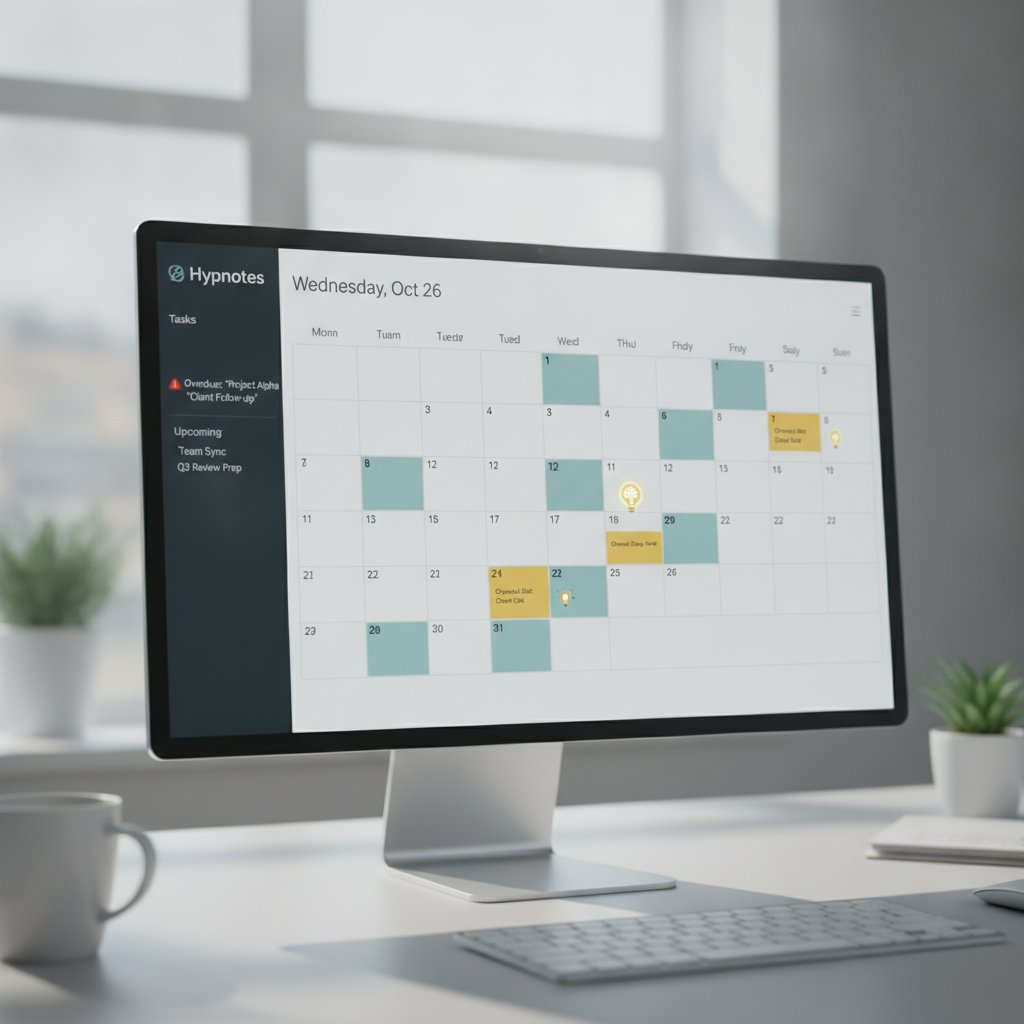
AI takes routine, repeatable decisions off your plate and surfaces the few tasks that change outcomes. That reduces context-switching and the late-night documentation that drives burnout.
Give an assistant access to Scheduling, Task lists, and basic EHR metadata and it can triage incoming items, propose follow-ups, and highlight overdue items. It will suggest appointment times based on clinician load and client availability, and it will group low-priority Work so clinicians can batch it.
When AI triages routine Work, clinicians regain focused clinical hours and a predictable end to their day.
Therapist Work-Life Balance: AI Task Prioritization in practice
Keep a single, transparent queue where each Task has a clear reason to exist and a priority tied to client risk or revenue impact. That gives clinicians a reliable daily plan.
Hypnotes connects Scheduling, telehealth, documents, forms, and billing to assign priority scores. Use three components we recommend: clinical risk, client engagement, and operational impact. Score each Task 1–100. Above 70 is high and needs same-day attention. 40–69 is medium and should be scheduled in 2–5 business days. Below 40 can be batched weekly. That triage method stops firefighting and lets clinicians plan their day.
Explicit numeric thresholds turn vague to-do lists into reliable daily plans clinicians can trust.
Priority formula (practical)
- Clinical risk (0–50): automated flags from notes, intake forms, or EHR items (e.g., safety concerns, canceled appointments).
- Client engagement (0–30): last contact, missed sessions, portal messages.
- Operational impact (0–20): insurance deadlines, authorizations, billing holds.
Compute: priority = clinical risk + client engagement + operational impact. Set alert thresholds: 70+ red; 40–69 amber; 0–39 green. Use Hypnotes’ configurable AI Assistant to apply these weights to your practice.
What settings should clinicians use for AI Scheduling?
Start with conservative automation and three explicit Scheduling policies: buffer, cadence, and no-double-book rules.
Configure these exact defaults when you turn on AI Scheduling in your practice management system.
- Session buffer: 15 minutes for 45–60 minute sessions, 10 minutes for 30-minute sessions. Reserve this as a default to prevent overruns.
- Daily-cap: set a maximum of billable hours per clinician between 6–7 hours on clinical days to avoid back-to-back half-day blocks that cause fatigue.
- No-double-book window: prevent the AI from Scheduling a new intake or urgent slot within 24 hours of a prior telehealth session to reduce rapid context-switching.
Conservative defaults protect clinicians while the AI learns your caseload rhythm.
Implementation checklist: exact steps to deploy AI Task Prioritization
Follow this seven-step plan to go live without disrupting care.
- Inventory data sources: enable Scheduling, notes metadata, forms, and billing flags inside Hypnotes. (Required: Scheduling + notes metadata.)
- Set priority weights: start with clinical risk 50, engagement 30, operational 20. Adjust after two weeks by ±5 points based on false positives.
- Configure thresholds: red ≥70, amber 40–69, green <40.
- Activate conservative Scheduling policies (buffers, daily-cap, no-double-book).
- Run a two-week shadow phase: AI suggests changes but does not act. Clinicians accept or refuse suggestions to train the model.
- Enable automated flags for overdue tasks: trigger an urgent reminder when a Task is overdue by 7 days.
- Review weekly: a clinician lead audits false positives and adjusts weights or thresholds in Hypnotes settings.
The two-week shadow phase is essential — it calibrates AI decisions to your practice norms without causing immediate change.
Common mistakes and trade-offs we’ve seen

Teams make two common errors: trusting automation too soon or micromanaging the model. Both reduce value.
If you flip to full auto before a shadow period you’ll see inappropriate bookings and frustrated clinicians. If you ignore clinician feedback, the assistant creates noise. There are trade-offs: bigger buffers reduce daily throughput but improve recovery; looser buffers increase access while raising burnout risk. Hypnotes is configurable so you can choose which trade-offs matter most for your practice.
Calibration and clinician feedback are the non‑negotiable ingredients of a sustainable AI rollout.
Practical benefits you can expect
Expect less after-hours documentation, fewer missed follow-ups, and clearer daily priorities.
When AI reduces interrupt-driven Work, clinicians report more focused therapy hours and fewer evenings finishing notes. That improves continuity and client care quality. For a high-level discussion on AI and provider burnout, see the Harvard Business Review article on AI reducing healthcare burnout.
Meaningful admin reduction means clinicians keep clinical time and regain predictable time off.
Simple comparison: manual workflow vs basic PMS vs Hypnotes AI assistant
| Capability | Manual / Email-based | Basic Practice Management | Hypnotes AI Assistant |
|---|---|---|---|
| Task Prioritization | Reactive lists, inconsistent | Manual flags, no scoring | Automated scoring, adjustable thresholds |
| Scheduling intelligence | Human gatekeepers | Rule-based openings | Learns clinician cadence and suggests optimal slots |
| EHR automation | Manual entry | Templates | AI scribe + document automation |
How to measure success (exact metrics to track)
Track clinician-focused and operational KPIs weekly for four weeks after launch.
Required metrics: weekly clinical hours per clinician, number of overdue tasks (>7 days), average time between session end and completed note, and patient no-show rate. Targets: cut overdue tasks by 50% in four weeks and shorten note completion time by 25%. Use Hypnotes reporting dashboards to pull these numbers.
Measure both clinician experience and operational outcomes to know if AI is helping or hurting.
Frequently Asked Questions
Will AI replace clinical judgment?
No. AI prioritizes and suggests; clinicians make final decisions. Use the shadow phase to confirm alignment with your practice style.
Is Hypnotes HIPAA compliant?
Yes. Hypnotes is built to keep clinical data secure and private while offering AI tools that operate within those safeguards.
How long before I see benefits?
Teams typically see operational improvement within 2–6 weeks after calibration. Exact timing depends on data quality and clinician adoption.
Can I tune the AI to my specialty?
Yes. The priority weights and Scheduling policies are adjustable to match specialty workflows.
Ready to reduce admin and protect clinical time? Start a 14-day free trial and test Hypnotes in your workflow. Explore the Hypnotes AI‑Driven Features Overview to see available tools and compare options on the Hypnotes Pricing Plans.