

Virtual Group Therapy: Confidential, HIPAA‑Compliant Workflow
Last Updated on September 24, 2026
Virtual Group Therapy: Confidential, HIPAA‑Compliant Workflow
Quick answer: You can run secure Virtual Group Therapy by using an integrated practice management system with HIPAA compliant telehealth, explicit Group consent, restricted meeting access, clear documentation workflows, and reviewed AI note drafts. This post shows exact settings, a step-by-step setup, and trade-offs so you can protect Confidentiality while keeping sessions smooth.
Why we recommend an integrated practice management approach
Stitching together a video tool, an EHR, and a third‑party scribe creates avoidable risks: disconnected audit trails, duplicated consent forms, and extra steps staff must remember. Host telehealth, scheduling, documentation, AI note taking, and billing inside one HIPAA‑compliant system such as Hypnotes and you remove most of those failure points.
Using one platform cuts administrative friction and reduces the number of systems that hold PHI.
You give up a bit of flexibility with best‑of‑breed point tools. In return you get a single audit log, native billing, and automatic gating of consent and intake forms before Group sessions. For Group Therapy — where many people touch the same records — those trade-offs usually favor a single, consistent system.
Virtual Group Therapy: choosing a HIPAA-compliant video platform
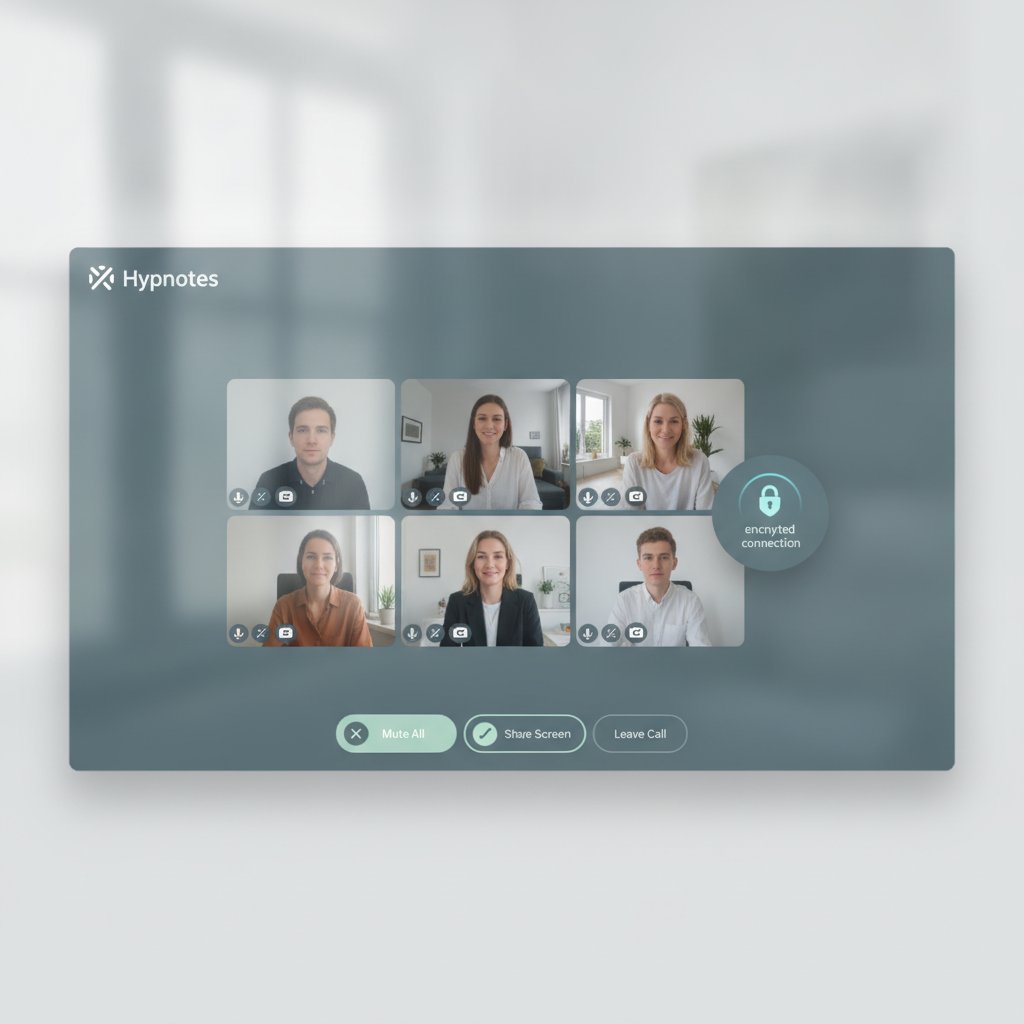
Pick a telehealth provider that will sign a Business Associate Agreement (BAA), offers encrypted sessions, and forces authenticated entry. Configure the platform to match HHS guidance on HIPAA privacy for telehealth so you don’t leave basic safeguards off.
HHS HIPAA Privacy Guidance for Telehealth lays out the required safeguards and how consent fits into privacy obligations.
Require a signed BAA and platform settings that force authenticated entry and waiting rooms.
How do I obtain consent for confidential Group sessions?
Capture Group-specific consent during intake and before the first session. The consent must explain the limits of Confidentiality in groups, whether sessions can be recorded, and what security the platform provides.
Practical fields to include:
- Explicit statement that Group Therapy has limits to Confidentiality.
- Whether sessions May be recorded; a checkbox to decline recording.
- Agreement to check surroundings and use private devices for sessions.
- Authorization to share minimal PHI within the care team for billing and documentation.
Collect signed, timestamped consent through your practice management software before granting video access.
What tech settings reduce Confidentiality risks in Group sessions?
Enforce authenticated clinic accounts, unique meeting links, waiting rooms, and recording defaults set to off unless you have explicit written consent. Those settings stop most accidental disclosures.
Exact recommended settings (add these to your platform checklist):
- Require login with a verified clinic account for all participants.
- Generate a unique meeting link per session; never reuse public links.
- Enable a waiting room and admit participants one at a time.
- Require a meeting passcode sent via the patient portal or secure SMS only after consent is completed.
- Disable participant screen sharing and file transfer by default.
- Set recording to OFF; if recording is needed, require written consent and store recording in the practice management system behind role-based access.
Make the waiting room, passcode, and authenticated login non-negotiable settings for every Group session.
Five-step setup process for a secure Group session (exact steps you can follow)
We use this reproducible process with practices launching groups on Hypnotes. Follow it and you’ll close the usual operational gaps.
- Create the Group in your scheduling module. Set capacity to a recommended maximum of 12 participants for clinical manageability and privacy.
- Send intake packets automatically when a participant is scheduled. Require the Group consent checkbox and an e-signature before granting meeting access.
- When you create the video session, select “unique meeting link,” enable waiting room, require passcode, and turn off recording. Use Hypnotes secure video conferencing features to apply these by default across all Group templates: Hypnotes secure video conferencing features.
- On session day, admit participants from the waiting room one by one. Verify identity via a quick confirmation step: ask them to state their first and last name and birth month.
- Use the AI Scribe feature to generate draft notes in real time. Immediately after the session, clinician reviews and signs notes. Keep AI drafts off the patient-facing charts until clinician approval.
Follow this exact five-step setup and you’ll close the most common operational gaps that cause Confidentiality breaches.
How should you document Group Therapy sessions and use AI note taking?
Treat AI-generated notes as drafts only. Clinicians must review, edit, and sign before content joins the permanent record, and every edit needs to be auditable.
Documentation process we recommend:
- Configure AI Scribe to tag any content that references third-party statements or sensitive disclosures.
- Set a review deadline — clinicians must review AI drafts within 48 hours.
- Use structured Group Therapy templates: attendance list, topics, Group response, safety concerns, and plan.
Never let AI notes auto‑publish; always require clinician sign-off and a timestamped audit trail.
Comparison: integrated practice management vs stitched solutions

| Criteria | Integrated practice management | Stitched solutions |
|---|---|---|
| Access control | Single RBAC and audit log | Multiple logs, harder correlation |
| Consent flow | Automated pre-session gating | Manual or duplicated steps |
| Billing integration | Native claim creation | Separate export/import required |
| AI note handling | Drafts within chart, clinician sign-off required | Third-party storage and transfer risks |
How do you handle billing and PHI when groups include insurance?
Attach session-level billing codes and only the minimum identifiers needed for claims. Keep detailed clinical narratives in the chart, not on claim forms.
Operational rules:
- Bill per participant or per Group code according to payer rules.
- Only include the participant’s necessary identifiers on claims.
- Use the practice’s secure claim export; never email PHI-containing claims files unencrypted.
Split clinical narrative and billing surfaces: claims get identifiers and CPT codes only.
Operational mistakes we see — and how to fix them
Common errors include reused public links, auto‑publishing AI notes, and failing to collect Group consent ahead of time. Those failures usually trace back to weak templates or gaps in staff training.
Fixes that actually work:
- Make secure session templates mandatory and enforce them at scheduling.
- Train intake staff with a one-page SOP and run one live drill a month.
- Audit five randomly selected Group sessions monthly and review access logs.
Templates, training, and regular audits stop the same mistakes from repeating.
Frequently Asked Questions
Can I record Virtual Group Therapy sessions?
Yes, but only with explicit, signed consent from every participant and a documented clinical reason. If you record, store the file in your HIPAA-compliant system and restrict access with role-based permissions.
Is a BAA enough to make a video platform HIPAA-compliant?
A BAA is necessary but not sufficient. You must still configure the platform Securely and follow HHS HIPAA guidance on telehealth. See the HHS HIPAA Privacy Guidance for Telehealth for details.
How should clinicians use AI scribe outputs?
Treat AI outputs as draft text. Review, edit, and sign the note within 48 hours. Keep a clear audit trail of edits and final approval.
What’s a safe Group size for Virtual groups?
Clinically, we recommend a maximum of 12 participants for most groups to preserve therapeutic safety and Confidentiality. Adjust based on clinician judgment and Group goals.
Checklist: Secure Virtual Group Therapy launch
- Sign BAAs with all third-party vendors.
- Configure meeting templates: unique links, waiting room, passcodes, login required.
- Automate Group consent and intake via your practice management system.
- Set AI Scribe to draft-only with 48-hour review SLA.
- Disable recording by default; record only with signed consent.
- Audit logs weekly and retrain staff monthly.
Follow this checklist to reduce the top 90% of operational risk for Virtual Group Therapy.
Next steps, try a secure integrated Workflow
If you want a single place to schedule, run HIPAA compliant telehealth, collect consent, use AI scribe, and bill, set up a trial and test the full Workflow with a mock Group. Start a free 14‑day trial of Hypnotes to run that mock session end‑to‑end and verify your templates and audit logs.
Test Hypnotes secure video conferencing features, the intake automation, and AI Scribe in sequence and see how they reduce friction while protecting privacy.