
Mobile Practice Management: Book, Note, Communicate on the
Last Updated on November 23, 2026
Mobile Practice Management: The On‑the‑Go Solution
Effective Mobile Practice management lets you run your Therapy Practice straight from your phone or tablet. You can update schedules, jot clinical notes, and message clients without opening a laptop. In the past, desktop-bound portals meant delayed replies and chaotic rescheduling. Hypnotes keeps your data synchronized across every device so you stay responsive all day.
Running your daily workflow on Mobile lets you approve appointments in seconds and record clinical notes without sitting at a desk. That speed trims administrative drag and keeps your focus where it belongs: on your clients.
The Hidden Costs of Desktop‑Only Scheduling
Tying Practice management to an office computer turns quick administrative duties into real bottlenecks. Picture having a 30-minute break between in-person sessions. Under a desktop-only setup, filling an unexpected vacancy means walking back to your desk, booting up a workstation, and clicking through nested menus to review waitlists. By the time you find an open contact, your break is gone.
Mobile access shifts Practice management from an hourly chore into quick actions you handle in seconds. You can review pending bookings while waiting in the lobby or confirm reschedules while moving between offices. Admin work stays in the background, protecting your energy for client sessions.
How Does Hypnotes Keep Your Calendar in Sync on Mobile?
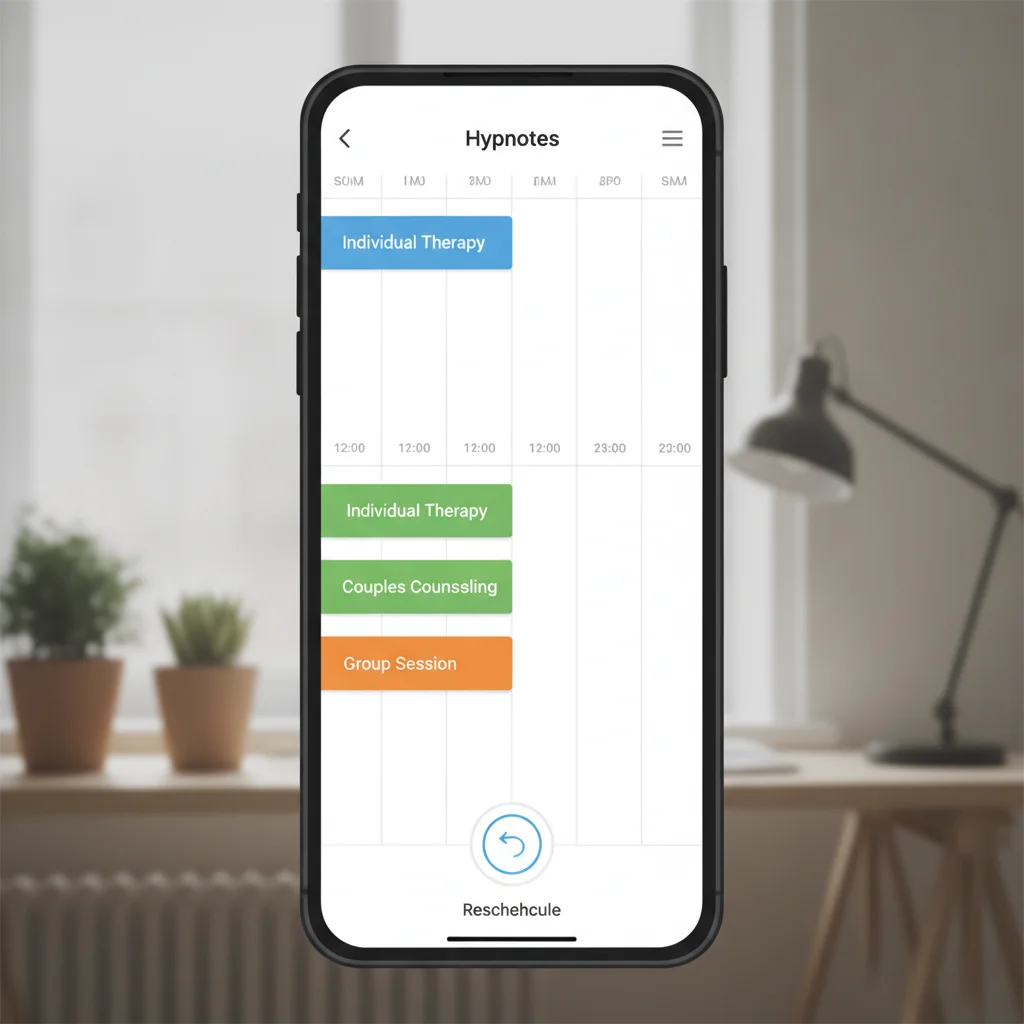
Calendar sync forms the foundation of reliable Scheduling. Here is the workflow in the Hypnotes app:
- Open your calendar view and tap + Add Appointment.
- Enter client details, pick the time slot, and tap Save & Sync.
- The app connects through OAuth to update your Google or Outlook calendar immediately.
- When a client changes a time slot via their portal, your phone calendar reflects the update instantly.
- Set an optional 15-minute buffer between sessions to receive a push notification 5 minutes before your next meeting.
Bidirectional sync eliminates double bookings and guarantees that your Mobile and desktop calendars always match.
This synchronization happens instantly via websockets rather than waiting on sluggish batch updates. When a client cancels at 2:00 PM, you see the notification that second. That opens the hour immediately for another booking or for your own charting.
Step‑by‑Step: Capturing AI‑Powered Voice Notes Anywhere
Typing session notes on a keyboard during an appointment pulls your attention away from the room. Hypnotes uses an on-device AI scribe that turns spoken clinical dialogue into organized notes while keeping data private.
- Start the session and press Record in the session window.
- Speak naturally with your client while on-device speech recognition handles transcription locally.
- When you pause, the system organizes the discussion into key therapeutic categories like mood, goals, and interventions.
- Open the draft to adjust phrasing or assign tags.
- Tap Save & Send to Client so the finalized summary posts directly to their private portal.
Voice-to-text documentation with real-time editing saves clinicians at least 10 minutes per session.
Immediate transcription also protects clinical accuracy. Therapists often scribble fragmented shorthand and attempt to reconstruct detailed observations hours later. Real-time capture preserves verbatim statements you can quickly search and tag for treatment plans.
Secure Client Messaging and SMS: Stay Connected Without Leaving the App
Clients want clear, immediate updates, but clinicians must safeguard confidentiality. Hypnotes combines end-to-end encrypted messaging with automated SMS alerts sent through a HIPAA-compliant gateway:
- Confirmed appointments automatically queue an SMS reminder 24 hours in advance.
- Clients reply through the secure portal, preserving a time-stamped history of every exchange.
- Templates let you post fast auto-responses to recurring logistical questions about parking or rescheduling.
- Communication threads stay tied to client charts to keep records organized across your clinical team.
- You can attach intake PDFs or links to Google Forms directly within the client message pane.
Clinicians who send automated SMS reminders reduce client no-shows by an average of 25%.
Separating SMS reminders from in-app messaging keeps sensitive details secure. Hypnotes uses standard SMS strictly for logistical nudges, directing clinical conversations into the protected client portal. Every exchange logs automatically to the client chart, giving you a verifiable audit trail whenever past treatment plans come up.
Quick Case‑Study Snapshot: A Therapist’s 30‑Minute Efficiency Gain
A licensed clinical social worker spending 45 minutes every day managing desktop admin made the move to Hypnotes. Her daily numbers shifted quickly:
- Booking appointments dropped from 10 minutes down to 2 minutes.
- Documentation time fell from 15 minutes to 5 minutes with the AI voice scribe.
- Handling reminders and routine follow-ups settled under 3 minutes per client weekly.
- She recovered roughly 30 minutes of open clinical time every single day.
Reclaiming 30 minutes a day gives clinicians more than four hours of recovered time every single month.
Over a full month, those minutes add up fast. You can use that recovered time to see an extra client or simply finish your workday on schedule. Skipping the end-of-day charting crunch means walking into your sessions composed and ready to engage.
Comparison Table: Native Mobile vs Desktop Scheduling
| Feature | Native Mobile (Hypnotes) | Desktop (Legacy) |
|---|---|---|
| Appointment Creation | Tap, fill, sync in < 30 s | Login, form, click save—often >2 min |
| Real‑time Reschedule Updates | Instant push to both sides | Manual refresh required |
| AI Voice Note Capture | On‑device, 0 latency | None—typing only |
| Secure Messaging | End‑to‑end in app + SMS gateway | Email only, often unencrypted |
| Compliance (HIPAA) | Built‑in, automatic audit trails | Dependent on third‑party tools |
Frequently Asked Questions
- What devices can I use for Mobile Practice management? Answer: iOS, Android, and any modern web browser.
- Is the AI note‑taking compliant with HIPAA? Answer: Yes, all transcription occurs on the device and is stored encrypted.
- Can I integrate Hypnotes with my existing calendar? Answer: Absolutely—OAuth sync supports Google, Outlook, and Apple calendars.
- What happens if I lose my phone while in a session? Answer: All data syncs to the cloud instantly; you can resume from another device.
- Is there a limit to the number of clients I can Manage on Mobile? Answer: No limits—your account size controls access, not the device.
- Does the Mobile app require a constant internet connection? Answer: While an internet connection is required for cloud sync and SMS, the AI voice transcription features are designed to process initial data on-device where possible, ensuring that your notes are captured even in low-signal environments, syncing once connectivity is restored.
- Can I customize the SMS reminder templates? Answer: Yes, administrators can edit the default templates to include specific instructions, such as parking details or pre-session worksheets, ensuring that reminders are relevant to your specific Practice needs.
Ready to run your Practice without being tied to an office desk? Explore Hypnotes pricing plans with a 14-day free trial. Download the app today and keep your Practice running wherever work takes you.