
OCR for Therapists: Digitizing Handwritten Clinical Notes
Last Updated on October 8, 2026
Quick Summary: Using OCR for therapists turns Handwritten paper Therapy Session Notes into structured, searchable Digital client Records in seconds. You photograph your legal pad, run optical character recognition through a Secure pipeline, and insert formatted Text directly into the client chart. This process protects clinical presence during sessions while keeping your practice fully compliant with federal privacy standards.
Putting OCR for therapists to work solves an old clinical dilemma: how to keep pen and paper in the room without drowning in administrative rework later. Typing during an intake pulls you out of the conversation. Clients watch your hands fly over the keyboard, spot your eyes darting toward dropdown menus, and stop talking. For that reason, thousands of counselors and clinical social workers still write on legal pads. The problem hits at 5:00 PM. Retyping those scribbles into an EHR burns anywhere from five to ten unbillable hours every single week.
You end up working an unpaid evening shift just to feed an electronic record.
Hypnotes cuts that loop down to a quick camera snapshot. By pairing handwriting capture with structured Digital intake, you eliminate the evening transcription backlog without bringing a glowing laptop screen between you and your client.
What Is OCR for Therapists and How Does It Work?
Optical character recognition extracts letterforms from an Image and translates them into machine-encoded Text. For the technical backstory on how the underlying tech evolved, see this Optical character recognition (OCR) overview. But generic document scanners break down when handed Therapy Notes.
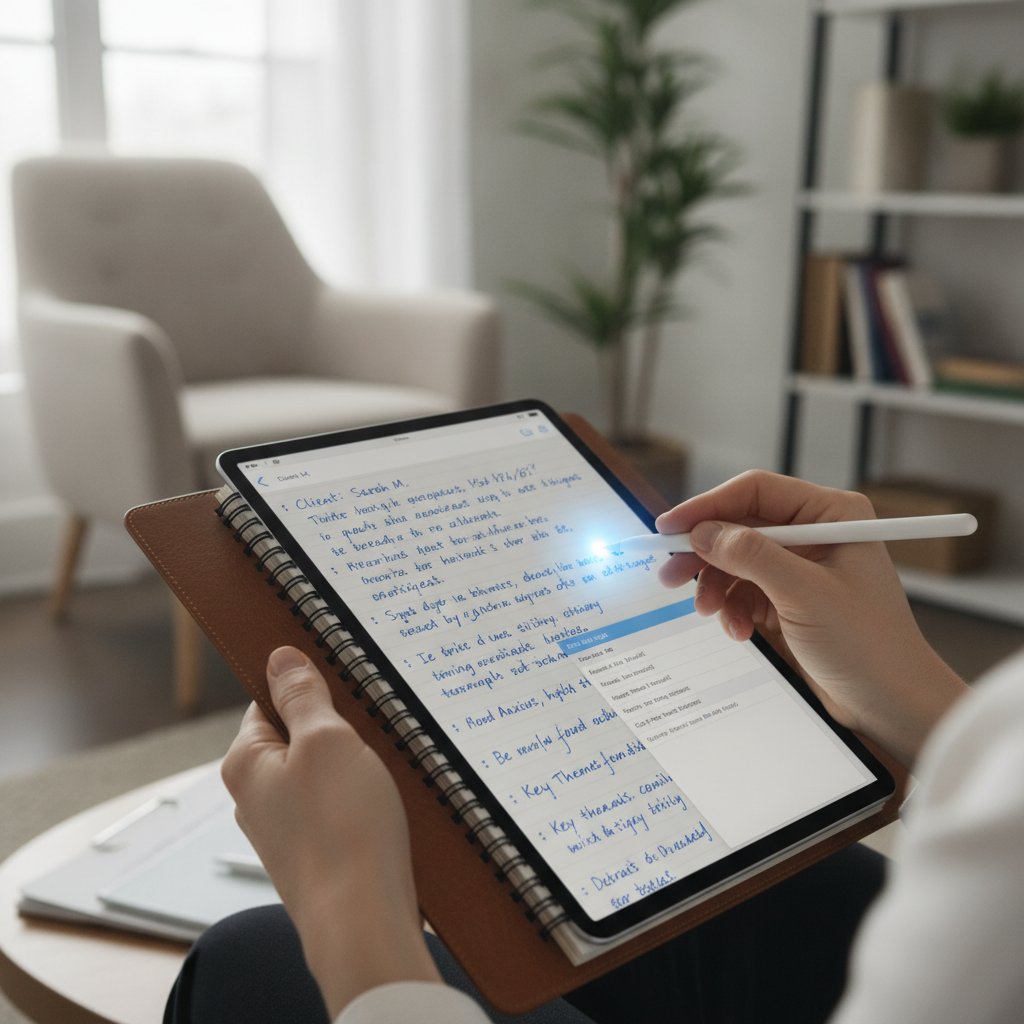
Therapy Notes are messy. Clinicians use arrows, shorthand, margins crowded with observations like “Pt presents w/ flat affect,” and cursive that borders on unreadable. Generic OCR treats these layouts as errors. Hypnotes runs Notes through models trained directly on clinical vocabularies. It separates diagnostic impressions from quick process Notes and structures the Text blocks so they fit your EHR templates.
The engine reads specialized psychiatric language like anhedonia, EMDR targets, and DSM-5 diagnostic criteria instead of guessing blindly at ambiguous scribbles. Once processed, the clean Text lands straight in the client’s file.
Pre-Automation vs. Post-Automation: The Clinical Workflow
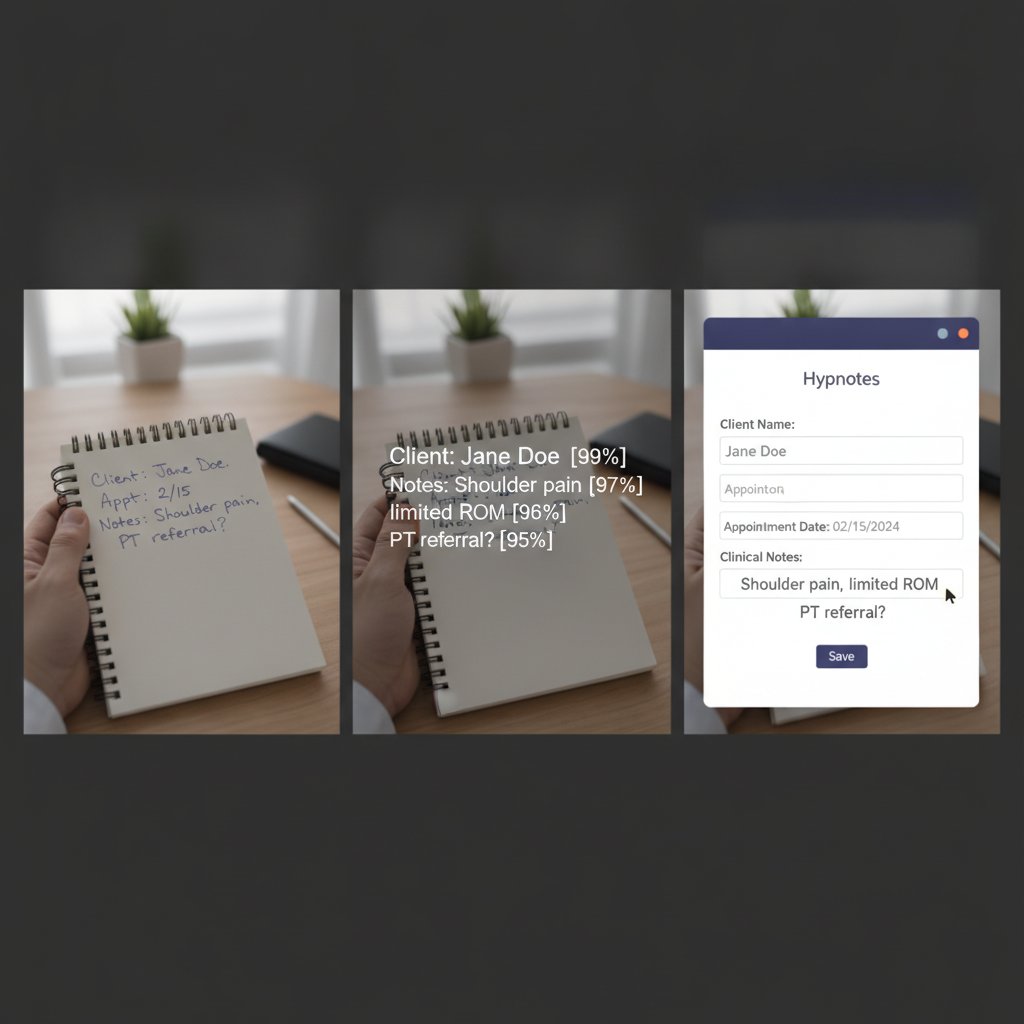
Deciphering your own shorthand five hours after a Session invites mistakes. Faded memory and rushed handwriting mean missed details. Here is how the day actually looks when you replace manual data entry with Image recognition.
| Stage | Traditional Manual Workflow | Hypnotes Automated Workflow |
|---|---|---|
| During Session | Therapist scribbles shorthand on a paper pad or types loudly on a keyboard. | Therapist writes naturally on paper, maintaining direct eye contact. |
| Between Sessions | Paper Notes stack up in physical folders on your desk. | Therapist snaps a quick photo inside the mobile browser app. |
| Data Entry | Therapist retypes Notes into an EHR line by line (10-15 mins per client). | Image-to-Text algorithm extracts written content in under 5 seconds. |
| Verification | Therapist rereads typed Text against physical Notes to check for dropped words. | Side-by-side verification window lets you approve Text with minimal edits. |
| Storage & Compliance | Paper Notes sit in locked file cabinets, vulnerable to physical theft or loss. | Encrypted Digital file links directly to the client chart; paper can be shredded. |
Switching to this structured Image conversion cuts administrative overhead by roughly 80 percent per Session. You finish documentation during the five-minute buffer between appointments instead of surrendering your lunch break.
Step-by-Step: How to Digitize Handwritten Notes in Hypnotes
You don’t need a flatbed scanner or dedicated desktop hardware. An ordinary smartphone camera handles the whole pipeline in four quick steps:
- Write on High-Contrast Paper: Stick to dark blue or black ink. Pencil smudges too easily under room lighting. Leave normal margins so section boundaries stay clear.
- Open the Client File in Hypnotes: Pull up the day’s calendar, click into the client encounter, and open the document capture tool.
- Capture the Page Image: Snap the page straight-on with your phone or tablet camera. The system auto-crops borders and squares the geometry on its own.
- Review and Approve the Extracted Text: Your original Image sits on the left, editable Text on the right. Tweak any odd words, sort content into SOAP or DAP sections, and save.
The entire review takes less than a minute per client, keeping charts accurate and up to date in real time. To see how this fits with client scheduling and billing, check out the Hypnotes AI‑powered note‑taking and OCR features.
Accuracy Benchmarks: Dealing with Cursive, Shorthand, and Jargon
Therapists are right to be skeptical about handwriting recognition. General-purpose scanner apps mangle clinical Notes because they don’t know what mental health terminology looks like.
Real-World Accuracy Expectations
- Neat print handwriting: 96% to 98% character accuracy on standard clinical terms.
- Standard cursive script: 90% to 94% accuracy, requiring light proofreading on uncommon proper nouns.
- Fast clinical shorthand: 85% to 90% accuracy, rapidly improving as the system adjusts to your style.
Context makes the difference. When an unspecialized app encounters a hasty scribble that reads like “dep-ss-n,” it makes a random guess. A clinical model checks the surrounding terms, identifies the context, and transcribes “depression.” It also recognizes routine abbreviations like SI, HI, GAD, MDD, and PRN.
A single quick glance during the side-by-side review catches any small spelling errors in under twenty seconds. That tiny check beats typing four paragraphs from a blank screen every time.
Is Practice Management OCR Secure and HIPAA Compliant?
Free scanning apps are a compliance trap. Snapping photos of Session Notes with consumer apps sends protected health information (PHI) to consumer cloud servers. None of those companies will sign a Business Associate Agreement (BAA), which leaves your practice exposed under federal law.
You need administrative, physical, and technical safeguards built into the tool itself. You can verify mandatory requirements directly via the HIPAA Security Rule details from HealthIT.gov. Hypnotes handles security through clear technical barriers:
Zero Local Storage
Photos captured inside the app never touch your phone’s personal photo gallery or unencrypted device storage.
End-to-End Encryption
Records encrypt in transit via TLS 1.3 and at rest via AES-256 to stop data leaks before they happen.
Signed BAA Coverage
Every Hypnotes account includes a signed Business Associate Agreement ready for compliance auditors.
Granular Audit Logs
The system Records exact timestamps for capture, Text generation, edits, and final clinical sign-offs.
Maintaining strict HIPAA compliant OCR protects your license while giving you the flexibility of mobile note capture. Your clients stay protected, and personal photos never mingle with PHI.
Case Study: How a Solo Behavioral Health Practice Reclaimed 7 Hours Weekly
Marcus runs a solo LPC practice in Colorado, carrying twenty-four clients every week. He writes Notes by hand in unlined notebooks because sitting behind a monitor derails his intakes. His old routine cost him fifteen minutes per client just to retype those thoughts into his EHR. That totaled six hours of administrative typing every week, and he usually burned through Sunday afternoons to catch up.
He moved his intake documentation to Hypnotes and changed the workflow completely. Now, the moment a client steps out the door, Marcus snaps a picture of his page. The Image-to-Text engine extracts his handwriting in under eight seconds. He spends forty-five seconds reviewing the Text, fixes a couple of acronyms, and saves the final SOAP note.
His documentation time fell from fifteen minutes down to under two minutes per client. Marcus shaved over five hours off his weekly administrative load, and he signs his last note of the day before he turns off the office lights.
Frequently Asked Questions
Can OCR read messy cursive Therapy Notes?
Yes. Specialized recognition engines match letter shapes against clinical vocabularies. If a cursive loop looks unclear, the engine leans on neighboring diagnostic terms to resolve it. You May still need to adjust rare proper nouns, but standard Notes transcribe cleanly.
Is it safe to photograph Therapy Notes using my smartphone?
Only if you work inside a dedicated, HIPAA-compliant system like Hypnotes. Default camera apps sync automatically to consumer cloud services, which breaches federal privacy rules. Hypnotes bypasses the local camera roll and sends encrypted Image data straight to the Secure chart.
What happens to physical paper Notes after they are digitized?
Once you approve and sign the Digital version, that electronic entry becomes the official clinical chart. Most private practices keep physical pages in a locked cabinet for a short holding window, then shred them under state document-retention rules.
Can I edit the Text after the Image converts?
Yes. The platform displays an editable Text pane right next to the original photograph. You can rephrase Notes, correct shorthand, split observations across sections, or drop in extra details before completing the record.
Reclaim Your Evenings from Clinical Note Typing
Keep writing your Notes by hand without the endless evening transcription. Test Hypnotes and convert physical Session pages into Secure Digital Records in seconds.