

Client Portal Therapy: Cut Admin Work and Engage Patients
Last Updated on October 30, 2026
A dedicated Client portal Therapy setup gives your clients an encrypted dashboard to schedule sessions, fill out intake forms, and pay invoices online. Handing routine Administrative tasks over to self-service software cuts phone tag, saves hours of front-desk work each week, and keeps Client communication protected under one roof.
Therapists don’t open Practices to shuffle paperwork. You entered this field to guide people through grief, trauma, and personal growth. Yet solo practitioners and clinic staff spend hours every week chasing signatures, returning scheduling voicemails, and mailing billing receipts. It’s draining work that steals focus from clinical care.
Paper intake forms and unsecured email chains frustrate clients just as much as they frustrate you. People expect clean digital tools. They want to book an appointment at 9:00 PM without waiting for office hours the next morning. Adopting a Secure Client portal Therapy setup replaces messy front-desk chores with an organized, Client-directed experience.
Why Client Portal Therapy Outperforms Traditional Front-Desk Workflows
Traditional practice workflows waste time on manual handoffs. A Client calls in. You jot down their details, email a PDF packet, wait for them to print and sign it, and then decipher their handwriting to retype it into your records. If an insurance card updates or a credit card expires, you start the entire cycle all over again.
A self-service portal automates that whole sequence. You set up your forms once. The software sends them out, prompts the Client to finish them on a phone or laptop before session one, verifies entries, and drops the signed records straight into the Client chart.
| Operational Task | Manual Practice Workflow | Client Portal Therapy Workflow |
|---|---|---|
| Intake & Disclosures | Clipboard handouts, printing, scanning, physical filing. | Digital self-service forms signed online before session one. |
| Appointment Booking | Back-and-forth phone calls, email delays, missed messages. | Real-time calendar availability with direct self-scheduling. |
| Billing & Payments | Paper invoices, swiping cards in person, chasing late balances. | Automated card storage, instant receipts, direct copay processing. |
| Telehealth Access | Pasting meeting links into unsecured text messages or emails. | One-click, encrypted video rooms launched inside the portal. |
Automating intake and scheduling shifts repetitive data entry from your staff to the Client, eliminating hours of manual record-keeping each week. Explore Hypnotes Client portal features to see how unified scheduling, documents, and billing operate within one clean dashboard.
How Does a Patient Self-Service Portal Reduce Admin Workload?
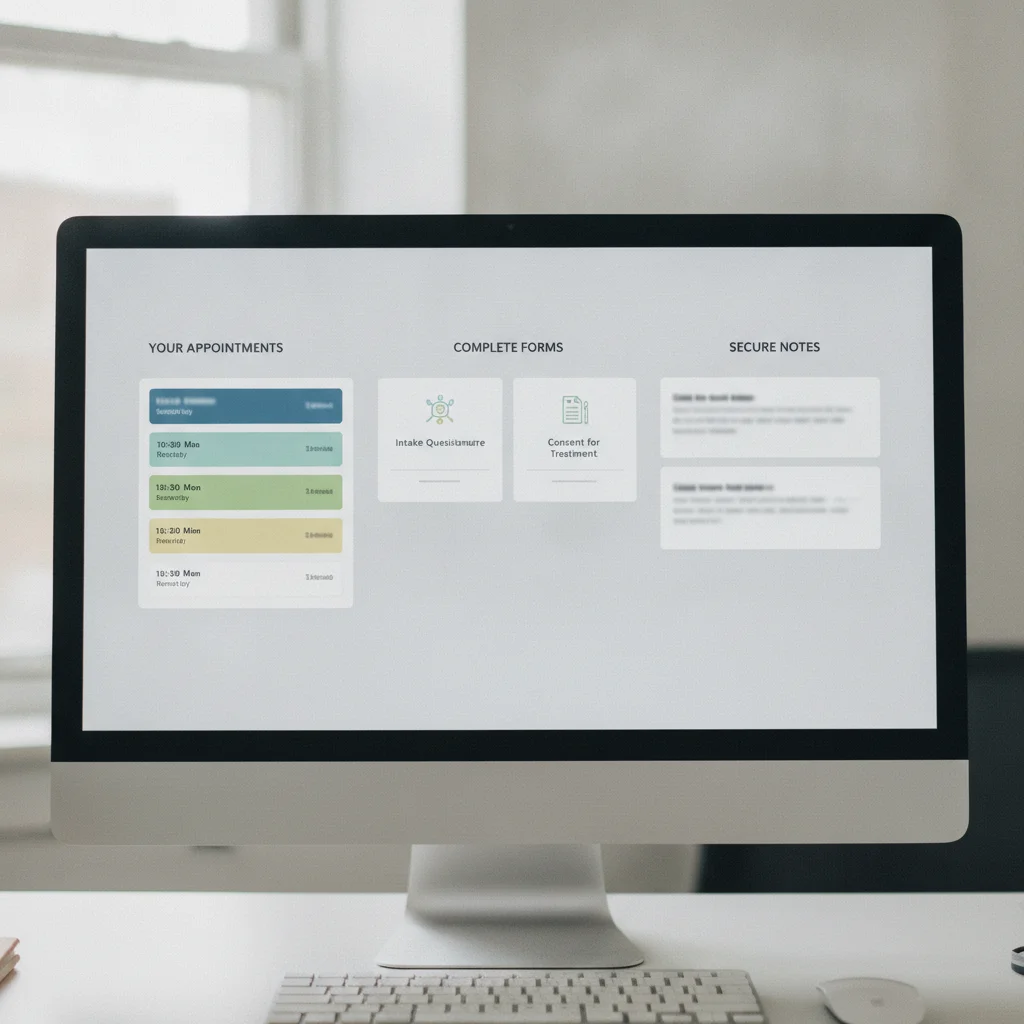
Self-service Portals Cut Overhead by taking clinicians and front-desk staff out of basic data entry. When clients handle their own bookings, payments, and document uploads, Practices save 5 to 10 minutes of staff time per appointment.
That adds up fast. If you run 25 sessions a week, trimming ten minutes off each visit frees up more than four hours weekly. That’s 16 hours every month returned to direct clinical care, continuing education, or personal rest.
Three core operational areas drive these time savings:
- Automated Intake Documents: Consent forms and clinical screeners like the PHQ-9 or GAD-7 go out automatically upon registration. Therapy practice automation ensures clients show up to their first session with all clinical documentation already signed and logged in your system.
- Self-Directed Scheduling and Cancellations: You set your working hours, buffer windows, and session lengths. Clients pick open slots without back-and-forth emails. Built-in cancellation policies run automatically, protecting your income without awkward confrontations.
- Integrated Insurance Billing and Invoicing: Clients store payment cards safely, view their billing statements, download superbills, and pay balances without staff printing paper invoices or running cards by hand.
Cutting admin tasks protects your energy. Therapists face far less burnout when operational hurdles run quietly in the background.
Practice Management Portal Features That Drive Patient Engagement
Engagement goes beyond showing up on time. It means active collaboration, shared responsibility, and clear communication between visits. When clients have direct access to their appointments and resources, they take greater ownership of their care.
A portal gives clients a single anchor point for Therapy. Instead of digging through desk drawers for worksheets or hunting through email spam folders for a video link, they log into one familiar dashboard. That consistency builds trust.
Key Portal Features for Behavioral Health
- Integrated Telehealth Links: No confusing downloads or external software required. The Client clicks their scheduled appointment and enters the Secure room immediately.
- Homework and Resource Sharing: Clinicians can share psychoeducational handouts, behavioral tracking logs, and meditation exercises directly through Secure document repositories.
- AI-Assisted Efficiency: Hypnotes pairs portal convenience with clinician tools like an AI Scribe and AI Assistant, helping therapists synthesize session records faster so notes stay current and accessible where appropriate.
- Automated Appointment Reminders: Automated text and email reminders sent through the portal drastically lower no-show rates and late cancellations.
Clients who can easily access resources, session links, and billing records stay more consistent with their care.
How Can Therapists Ensure Secure Client Access Without Adding Friction?

Therapy demands strict confidentiality, but security shouldn’t make the portal impossible to use. The fix is straightforward: use dedicated clinical software with end-to-end encryption, multi-factor authentication, and simple password recovery rather than generic consumer apps.
Confidentiality forms the foundation of clinical work. Clients share trauma histories, clinical assessments, and payment details. You can’t trust that data to shared drives or regular email.
A HIPAA-compliant portal provides built-in safeguards: encrypted data in transit and at rest, individual login credentials, and detailed audit trails. Always ensure the software provider signs a formal Business Associate Agreement (BAA). Check the HIPAA compliance guidelines from the U.S. Department of Health & Human Services for full regulatory requirements.
Secure access doesn’t require complex software downloads or technical headaches for your clients. Modern Portals run directly in any web browser on phones or laptops. Clients choose a Secure password once, verify their identity, and manage their care without hassle.
5-Step Blueprint: Onboarding Clients to Your Secure Portal
Introducing new tech takes clear communication. If you drop a link in an inbox without context, clients often ignore it. Use this practical sequence to get clients onboarded quickly:
- Mention the portal during initial inquiries: Tell prospective clients right away that your practice uses a digital-first setup. Let them know their portal invite will arrive by email so they can complete paperwork on their own schedule.
- Automate the welcome email: Set your practice management platform to send an invite link the moment you create a new Client file. Make sure the message clearly shows your practice name and explains the next steps.
- Set a clear paperwork deadline: Require all consent forms, office policies, and intake screeners 24 hours before the first session so you can review them in advance.
- Troubleshoot login issues during session one: Some clients find new technology stressful. If someone gets stuck, spend five minutes at the start of your first session walking them through the portal on their phone. Once they get in the first time, future check-ins are simple.
- Audit your intake forms quarterly: Check where clients abandon paperwork. If people skip certain questions or leave sections blank, Cut out unnecessary fields or swap long text boxes for clear multiple-choice options.
Ready to Simplify Your Therapy Practice Operations?
Stop wasting billable hours on manual filing, scheduling phone tag, and chasing missing intake forms. Hypnotes provides everything your Therapy or wellness practice needs: Secure Client Portals, automated scheduling, customizable forms, HIPAA-compliant telehealth, and advanced AI clinical assistance—all in one place.
Start your 14-day free trial of Hypnotes today and see how simple practice management can be.
Frequently Asked Questions
What is a Client portal in Therapy Practices?
A Therapy Client portal is a Secure, HIPAA-compliant online hub where clients schedule appointments, complete intake forms, make payments, and attend telehealth sessions without calling office staff.
How does a Client portal reduce Administrative workload?
It automates repetitive intake steps, replaces manual paper filing with digital forms, handles self-scheduling, and manages insurance billing details directly, saving clinicians hours every week.
Is Client portal software HIPAA compliant?
Yes, dedicated mental health practice Portals provide end-to-end data encryption, signed Business Associate Agreements (BAAs), and Secure authentication protocols to protect protected health information.
Do Therapy clients actually use self-service Portals?
Most modern Therapy clients prefer booking appointments, filling out clinical screeners, and paying invoices online from their phones rather than handling paperwork in waiting rooms.