

AI Scribe Therapy Cuts Documentation Time by 70%
Last Updated on October 31, 2026
AI Scribe therapy: How it works and saves you Time
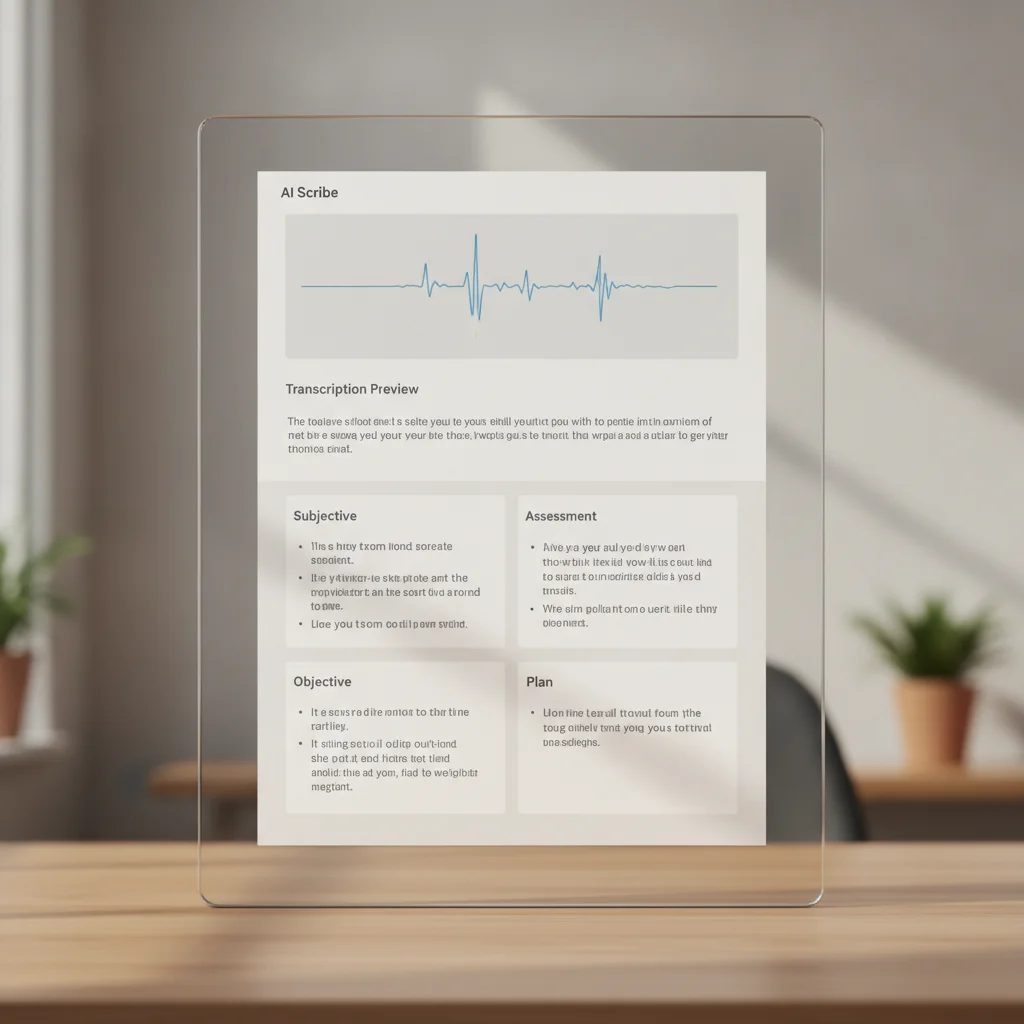
You start the session, hit record, and then let the AI Scribe do the heavy lifting. It transcribes the audio, flags clinical terms, and builds a SOAP note skeleton. You review, make a few tweaks, and the note is chart-ready.
The AI Scribe turns a raw audio file into a polished SOAP note in under a minute.
- Record: Click the record button in Hypnotes before the client enters. The audio saves directly to the session’s record file.
- Transcribe: The AI processes the file in seconds, generating a full text transcript.
- Extract: NLP tags diagnoses, symptoms, and medications, populating the SOAP sections.
- Review: Scroll through the draft, adjust wording, and add missing details.
- Finalize: Click “Save” and the note appears in the patient’s chart, ready for billing.
Learn more about Hypnotes AI Scribe feature and see how it fits into the rest of our practice management suite.
Understanding the technology behind AI Scribe
The core is a mix of automatic speech recognition (ASR) and natural language processing (NLP). ASR converts spoken words into text. NLP interprets that text in a clinical context. The system trains on large corpora of therapy sessions, so it recognizes common therapeutic language, symptom descriptors, and medication names. Because the model learns from your corrections, accuracy improves over Time without manual re-training.
Key technical components include:
- Acoustic modeling differentiates speaker voices and filters background noise.
- Language modeling predicts likely word sequences based on therapeutic terminology.
- Clinical entity extraction tags diagnoses, symptoms, and interventions for the SOAP structure.
All processing happens on secure, HIPAA-compliant cloud servers. No patient data sits on local devices unless you choose to keep a copy.
Step‑by‑step walkthrough of a sample session
Let’s walk through a hypothetical 50-minute counseling session. The Therapist clicks record before the client arrives. The conversation proceeds as usual, covering recent anxiety episodes, medication adjustments, and coping strategies.
After the session ends, the AI Scribe instantly generates a transcript. The “Subjective” section captures statements like “I’ve been feeling on edge for the past three weeks.” The “Objective” section includes observable data such as “client’s affect was congruent with reported mood.” In the “Assessment,” the AI suggests a provisional diagnosis based on the language used. The “Plan” lists the agreed-upon homework and follow-Up appointments.
The Therapist then reviews each section. If a symptom was missed, they type it in. The AI learns from that correction. Once satisfied, the Therapist hits “Save,” and the note locks into the patient’s chart.
Best practices for maximizing AI Scribe accuracy
Even advanced AI benefits from simple habits:
- Speak clearly and at a moderate pace. Rapid speech or heavy accents increase transcription errors.
- Minimize background interruptions. Turning off unrelated devices or moving to a quieter space helps the acoustic model.
- Use consistent terminology. Repeating the same phrase for a specific symptom helps the NLP engine recognize it reliably.
- Approve the first few notes. Reviewing and correcting initial drafts gives the model a clear picture of your preferred style.
Following these guidelines typically results in a draft that requires only minor polishing. This keeps overall Documentation Time well under the traditional benchmark.
Why therapists keep drowning in paperwork
Paperwork can eclipse the core of therapy. A recent Harvard Business Review article shows that clinicians spend an average of 3.2 hours per week on administrative tasks. That figure climbs to over 5 hours for those using older EHR systems. It’s Time spent on data entry, note formatting, and insurance paperwork. All of these tasks can be automated.
Concrete Time‑saving data from practice use
Every Therapist’s workflow differs, but the pattern is clear: AI Scribe reduces note-taking Time by about 70%. A NIH study on AI reducing clinical Documentation Time found that automated transcription cut Documentation Time from 10 minutes per session to 3 minutes on average. That is a 70% drop. These figures translate directly to Hypnotes’ users, who report a median reduction from 8 minutes to 2 minutes per SOAP note.
| Task | Traditional Time | AI Scribe Time |
|---|---|---|
| Transcribe audio | 5 minutes | 30 seconds |
| Populate SOAP sections | 3 minutes | 45 seconds |
| Final review & edits | 2 minutes | 30 seconds |
| Total | 10 minutes | 1.5 minutes |
How to integrate Hypnotes AI Scribe into your existing workflow

Integrating the AI Scribe is a three-step process that takes less than 30 minutes of setup.
- Enable the feature in your account settings. If you’re already on a plan that includes AI, it’s a toggle. If not, view Hypnotes pricing plans and AI Scribe add‑on to upgrade.
- Set transcription preferences: choose language, speaker labeling, and sensitivity. Default settings work well for most English-speaking practices.
- Train the model by approving the first 5 notes. The AI learns your terminology and preferred structure, improving accuracy over Time.
Once activated, the Scribe is ready whenever you start a session. No extra clicks, no separate apps. Just one unified interface.
Security and privacy deep dive
Security is built into every layer of the AI Scribe. Audio files are encrypted the moment they leave your device. They travel over TLS-secured channels and are stored only for the short period required for processing. After transcription, the raw audio is automatically purged unless you explicitly choose to retain it. Access to the transcription engine is restricted to authenticated users, and audit logs record every request for compliance verification.
Because the service is designed for health-care environments, it undergoes regular third-party security assessments and maintains the certifications required for HIPAA compliance. You can trust that client confidentiality is preserved while still benefiting from cutting-edge AI.
Frequently Asked Questions
- Is the AI Scribe HIPAA compliant? Yes. All data is encrypted at rest and in transit, and the transcription engine runs on secure servers that meet HIPAA standards.
- What if the Scribe makes a mistake? The note is always editable before finalizing. You can correct terminology, add missing details, or delete sections.
- Can the AI Scribe handle multiple languages? Currently it supports English and Spanish. Other languages are planned for future releases.
- Will the AI Scribe affect billing codes? The Scribe flags common diagnoses and medications, but you should verify CPT codes before submission.
- How is client consent handled? You are responsible for informing clients that the session will be recorded for Documentation purposes. The system provides a consent checkbox that can be captured in the intake workflow.
- Does the AI store patient data permanently? No. Audio recordings are deleted after transcription unless you opt to retain them. Text notes remain in your chart as part of your normal record-keeping.
- Can I customize the SOAP template? Yes. The platform allows you to reorder sections, add custom headings, and define default phrasing that the AI will incorporate where appropriate.
- What if my internet connection drops? The recording is saved locally on your device and will upload automatically once connectivity is restored, ensuring no loss of data.
Extended FAQ – troubleshooting and advanced topics
- Why are some speaker labels missing? The acoustic model May merge voices if they sound similar. You can manually assign speaker tags during the review step, and the model will learn to differentiate them in future sessions.
- How do I improve the AI’s handling of specialized terminology? Adding those terms to your practice’s custom dictionary (available in settings) helps the ASR recognize them correctly.
- Is there a way to export the raw transcript? Yes. An export button lets you download the full text in .txt or .docx format for external review or archiving.
- Can the AI suggest treatment plans? The AI can surface commonly used interventions based on the assessment, but it does not replace clinical judgment. You retain full control over the final plan.
- What support is available if I encounter an error? In-app chat support and a knowledge base are available 24/7. You can also submit a ticket through the account portal for more complex issues.
Ready to cut your Documentation Time?
Start a 14-day free trial today and see the difference for yourself. You’ll see how much more Time you can spend with clients instead of paperwork.