

HIPAA Telehealth Compliance: A Therapist’s Setup Checklist
Last Updated on November 3, 2026
Achieving HIPAA Telehealth compliance requires end-to-end data encryption, signed Business Associate Agreements, restricted session access, and immutable audit logs for every remote encounter. Your Practice Management Software has to block unauthorized participants, log access timestamps, and safeguard electronic protected health information (ePHI) across every call, chat, and clinical note.
It’s 2:58 PM on a packed Thursday. Elena, a solo practitioner, finishes an emotionally draining trauma session five minutes late. Her next client is already waiting online. Rushing to start the call, Elena spins up a video link on an unmanaged consumer meeting app, grabs the room URL from her personal clipboard, and pastes it into an unencrypted email thread. Thirty seconds in, an unauthorized calendar guest from her personal account pops into the session screen. Elena disconnects immediately, but the damage is done. A client’s private crisis was visible to an outsider, creating an immediate breach risk.
Mistakes like this happen when you stitch together disconnected tools under time pressure. Privacy shouldn’t depend on whether you remember five different security toggles between back-to-back sessions. You need a reliable, repeatable routine built right into your daily clinical workspace.
The Technical Stand: Integrated Workspaces Beat Standalone Meeting Apps
Many clinicians still run video through one app and manage calendars through another. We take a firm stance against that setup. Fragmented tools lead to copy-paste errors, unvetted participant links, and orphan records that fail regulatory audits. Running your appointments through a unified HIPAA‑Compliant Telehealth platform eliminates manual link generation, ties audit trails directly to client charts, and drastically cuts human error.
The Technical Checklist for HIPAA Telehealth Compliance
Federal regulators don’t grade security on good intentions. The Department of Health and Human Services enforces strict Technical safeguards under the HIPAA Security Rule (45 CFR § 164.312). Meeting regulatory standards means vetting your virtual setup against specific infrastructure requirements rather than relying on default consumer settings.
1. Video Transport Security and HIPAA Video Encryption
Video streams cannot travel across open networks in plain text. Any virtual encounter carrying client dialogue, facial reactions, or shared screens must use peer-to-peer or media-routed connections secured by modern protocols. Look for WebRTC implementations protected by Datagram Transport Layer Security (DTLS) and Secure Real-time Transport Protocol (SRTP). This architecture creates an encrypted tunnel between endpoints.
Data at rest demands the same scrutiny. If your Software stores session recordings, voicemails, chat transcripts, or digital intake forms, that data must sit behind AES-256 encryption. Session data moving across the web must rely on TLS 1.3 or high-grade AES-256 encryption to prevent packet interception.
- Immediate Action in Hypnotes: Head to your appointment settings and configure client video sessions to launch directly through your browser. The system establishes browser-to-browser encrypted streaming without requiring third-party plugins that store unmanaged local cache files.
- Verify: Open a test appointment session and check the browser address bar. The padlock icon confirms an active TLS connection, proving that outside parties cannot eavesdrop on your data stream.
2. Access Controls and Room Entry Safeguards
Treat your Telehealth room like a soundproof physical therapy office with a deadbolt. Static meeting IDs that stay the same week after week represent an unnecessary vulnerability. If a former client or third party holds that link, they can walk into a session unannounced.
Your platform needs to generate dynamic, single-use tokens for every appointment. You also need a private digital waiting room. You should maintain full control over admissions so no client enters the room without your explicit consent.
- Immediate Action in Hypnotes: Schedule your client through the integrated calendar. Hypnotes automatically issues an encrypted, single-use access link unique to that specific appointment block.
- Verify: Open the link in an incognito window before the scheduled start time. The system will hold you in the waiting lobby until the authenticated host account approves entry.
3. Telehealth Audit Logs and Integrity Monitoring
Under federal regulations, running a secure session is only half the job. You have to prove it. Telehealth audit logs record the Technical timeline of an encounter: user logins, connection times, disconnection timestamps, IP addresses, and document access history.
If an alleged breach occurs, investigators examine system logs to confirm who entered the room and when. Standalone consumer platforms rarely store these records alongside clinical progress notes, leaving you scrambling to request logs from third-party vendors during an inquiry. Detailed audit logs protect you by proving exact session start times, participant IP metadata, and Technical room boundaries.
- Immediate Action in Hypnotes: Review the client profile activity stream after each call. Hypnotes tracks booking confirmations, intake submissions, and session attendance directly inside the client’s centralized file.
- Verify: Export or review the client engagement log for a completed session to confirm that timestamps match your billing units.
4. Business Associate Agreements and Document Integrity
Never conduct a clinical video call without a signed Business Associate Agreement (BAA). A vendor that refuses to sign a BAA cannot legally transmit, host, or touch ePHI. Review the official HHS guidance on HIPAA‑Compliant Telehealth to understand vendor accountability rules.
The BAA binds the vendor to administrative, physical, and Technical safeguards. It confirms that they assume legal responsibility for securing their server architecture, patching Software vulnerabilities, and preventing backend intrusions.
- Immediate Action in Hypnotes: Open your account administration dashboard to review your executed BAA, which covers Telehealth streaming, scheduling data, billing files, and integrated AI assistant notes.
- Verify: Download a copy of your executed BAA to your offline compliance folder so you have documentation ready for annual security risk assessments.
| Security Dimension | Standard Consumer Video Apps | Integrated Hypnotes Platform |
|---|---|---|
| Room URL Safety | Static links; vulnerable to unauthorized entry | Dynamic, unique tokens generated per session |
| Audit Trails | Disconnected from clinical files; hard to extract | Directly linked to client records, notes, and billing |
| Encryption Standards | Varies by tier; often requires manual account setup | Mandatory browser-level WebRTC, DTLS, and SRTP encryption |
| Data Fragmentation | High; links pasted in personal emails and external chats | Zero; automated reminders send direct portal links |
| BAA Coverage | Often locked behind expensive enterprise plans | Included as standard Practice Management HIPAA coverage |
What Are the Mandatory Technical Safeguards for Telehealth Video Sessions?
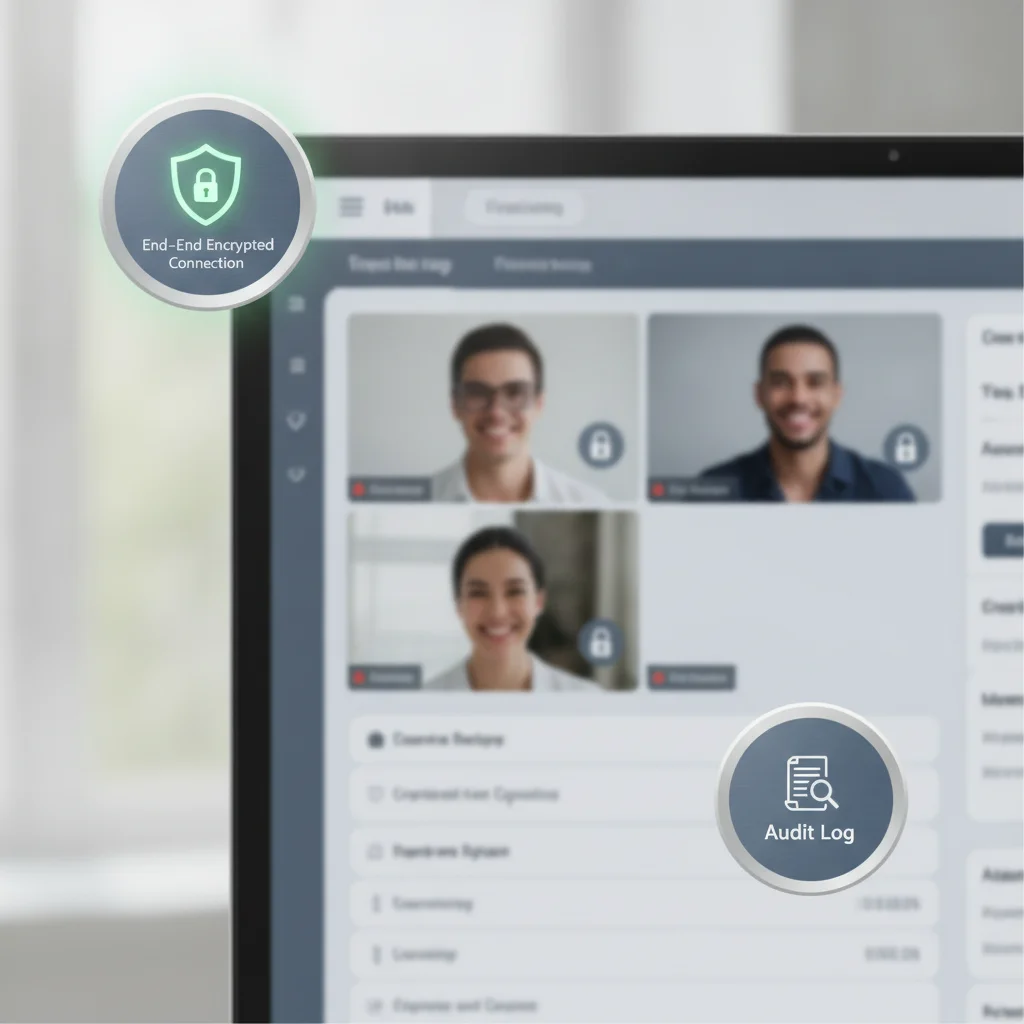
Mandatory safeguards include end-to-end transport encryption, individual user authentication, automatic session logouts, and encrypted storage for all session metadata. These controls stop unauthorized third parties from intercepting audio-video feeds or reading stored intake forms and clinical notes.
Data security doesn’t stop at the video window. When you conduct a remote consultation, your operating system, network, and browser exchange cached data packets. If your Practice Software leaves unencrypted temporary files on your hard drive, a stolen laptop turns into a reported breach.
Verify these specific controls in your weekly routine:
- Multi-Factor Authentication (MFA): Require MFA on every administrative account. Passwords alone won’t hold up against credential-stuffing attacks.
- Session Timeout Thresholds: Set automatic logouts after ten to fifteen minutes of inactivity. If you step away to handle an urgent issue, your workstation must lock itself.
- Encrypted Digital Documentation: Progress notes must save directly into an encrypted database. If you use tools like Hypnotes AI Scribe or AI Assistant, confirm they process records within the secure boundary rather than sending client transcripts to public language models.
A secure Telehealth platform must isolate client conversations from public internet scraping and unauthenticated local machine caches. Keeping scheduling, documentation, and communication under one roof stops sensitive clinical records from scattering across personal devices.
How Does Hypnotes Maintain HIPAA Telehealth Compliance During Live Therapy?
Hypnotes isolates video connections inside secure WebRTC channels, blocks uninvited attendees, and attaches every session event directly to client records. The platform executes a binding Business Associate Agreement covering Telehealth, automated clinical notes, intake forms, and insurance billing.
Clinicians lose valuable time juggling windows during remote visits. You might have your video call on the left, an intake PDF on the right, and a separate text editor open for session notes. That friction creates privacy risks. Every extra window makes an accidental leak during screen sharing far more likely.
Unifying clinical tools inside a single protected workspace stops confidential data from leaking across multiple browser tabs and third-party apps. Hypnotes builds those tools right into the encounter view:
- Integrated Digital Forms: Clients complete intake surveys and consent forms through the encrypted portal before the appointment starts. You review them inside the chart without downloading unencrypted PDFs to your desktop.
- Integrated AI Scribe and AI Assistant: Document encounters within your compliance perimeter instead of pasting rough notes into external transcription tools that lack healthcare safeguards.
- Unified Billing and Insurance: When a session wraps up, billing codes and insurance claim files generate straight from the verified attendance log. Review the Hypnotes pricing and plan comparison to see how unified tools replace expensive add-ons.
Operator Insight: The Screen Share Danger
The most common privacy mishap during Telehealth is unintentional desktop exposure. Clinicians sharing psychoeducational diagrams often expose bookmarks, email notifications, or open browser tabs containing other clients’ names. When sharing screens, select an isolated application window rather than your entire desktop monitor. Better yet, upload educational worksheets directly through your secure portal so clients view files independently.
A Five-Step Clinical Workflow for Every Telehealth Visit

Consistency protects your Practice. A strict five-step Technical routine turns daily HIPAA compliance from an afterthought into reliable muscle memory.
Step 1: Verify Hardware and Network Integrity
Never conduct therapy over open coffee-shop Wi-Fi without a private network. Run your sessions on a private, password-protected WPA3 network. Shut down personal email apps, messaging windows, and social feeds before launching your clinical portal.
Step 2: Confirm Client Identity and Location
In the first minute of the call, confirm your client’s physical street address and emergency contact number. Note both in the chart. You need exact physical locations for crisis intervention protocols and state licensing compliance.
Step 3: Lock the Session Room
Once your client enters from the virtual waiting room, lock down the room perimeter. Verify that no other appointment holds a token for that meeting space.
Step 4: Keep Notes Inside the System Perimeter
Type clinical updates Using secure templates or integrated scribing tools inside your Practice Management system. Don’t leave notes in generic text editors or open notepads on your physical desk.
Step 5: Terminate the Connection Cleanly
Don’t just shut your laptop screen when the session ends. Click the explicit ‘End Session’ command in the interface. That action flushes temporary streaming tokens, seals the audit log, and registers the session end time for accurate billing validation.
Frequently Asked Questions
Can I use standard Zoom or FaceTime for therapy sessions?
Standard consumer versions of Zoom and Apple FaceTime violate HIPAA rules because they don’t provide an executed Business Associate Agreement or clinical audit trails. To stay Compliant, you must use a dedicated healthcare platform or an enterprise service configured specifically for behavioral health privacy.
What should I do if my Telehealth video connection drops mid-session?
Establish a documented backup plan with your client during intake. If video fails, transition to a secure, private phone line and document the reason for the platform switch in your clinical progress note. Ensure you log the exact duration of both encounters for insurance billing integrity.
Do I need informed consent specifically for Telehealth sessions?
Yes. Most state licensing boards and federal guidelines require a signed Telehealth informed consent document. This agreement covers risks of digital communication, Technical troubleshooting procedures, emergency protocols, and confirmation of secure Practice boundaries.
How long should Practice Management audit logs be retained?
Under HIPAA administrative rules, Technical security documentation, policies, and audit logs must be retained for at least six years from the date of creation. Using Practice Management Software that maintains persistent digital records ensures your Practice remains audit-ready without manual exports.
Upgrade to Secure, Streamlined Telehealth Today
Stop worrying about disconnected tools, missing BAAs, and Technical compliance headaches. Hypnotes brings your appointments, clinical documentation, secure Telehealth, and billing into one protected system.