

Credentialing Automation Therapy: Streamline Insurance Workflows
Last Updated on September 26, 2026
Credentialing Automation Therapy: Streamline Insurance Workflows
Credentialing automation therapy removes manual chase work by automating provider credential updates, payer enrollment, and real‑time eligibility checks inside a single Practice Management platform. The payoff is concrete: fewer coverage gaps, fewer rejected claims, and a shorter revenue cycle. This quick answer lays out the operational steps and trade‑offs Therapists need to get measurable admin workflow automation.
Why manual Credentialing and Verification stall therapy practices
Answer: Manual Credentialing creates predictable bottlenecks in hiring, payer onboarding, and patient access.
Detail: Teams that run Credentialing on spreadsheets, email threads, and PDF packets spend staff hours on duplicate data entry and repeated document requests. You lose visibility the moment a packet leaves an inbox: dates, missing attestations, and state license renewals slip into chase cycles. Integrated Practice Management with payer connections pays for itself by replacing ad hoc processes with traceable automation tied to scheduling, billing, and telehealth.
One clear failure mode is chasing the same document multiple times; integrating document intake, e‑signature, and payer APIs prevents that loop.
How Credentialing automation therapy fixes admin bottlenecks
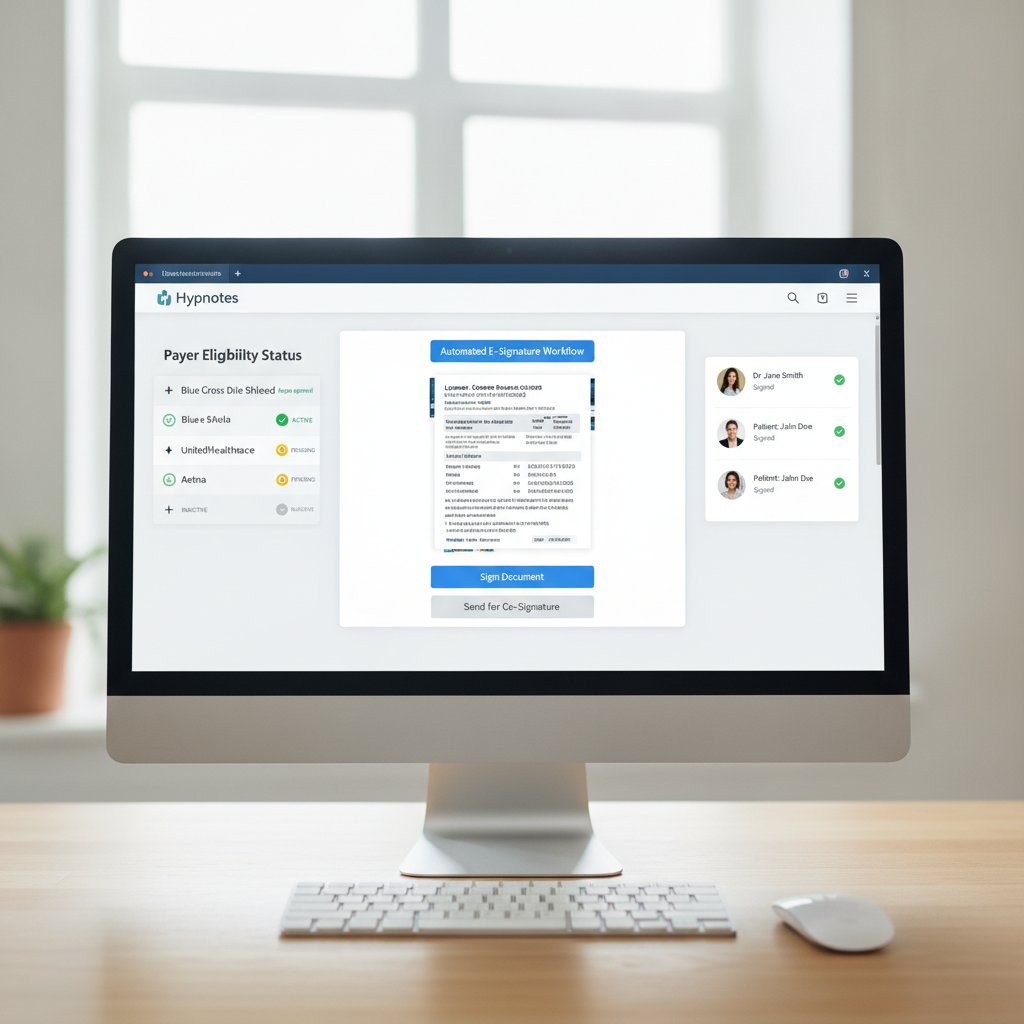
Answer: The system attaches Credentialing tasks to provider records, triggers document capture, and routes completed packets to payer endpoints automatically.
Detail: You map required fields once — NPI, taxonomy, license numbers. New providers complete a guided intake form; OCR extracts key data and verifies license numbers against uploaded PDFs. Enrollment fields auto‑populate payer forms. When a payer supports APIs, the platform pushes enrollment data directly; when a payer requires paper, it prepares print‑ready, signed packets.
Context: That single integration point removes double entry and cuts manual follow‑up. Automating those steps moves Credentialing from an episodic admin task into a predictable pipeline tied to revenue.
What does an Integrated AI workflow actually look like for a therapist office?
Answer: A unified flow from intake to payer Verification that closes the loop on coverage before the first billed session.
Detail: Below is the core workflow we recommend and use with practices on Hypnotes. Follow these steps to replace ad‑hoc Credentialing with a trackable pipeline.
- Provider Intake (Day 0): New hire completes a secure form inside the Practice Management system. Require uploads of state license, DEA (if applicable), W‑9, malpractice, and CV. Set required fields to “must upload” to prevent incomplete packets.
- Automated OCR & Field Mapping (Within 1 business day): OCR at 300 dpi with an 85% confidence threshold. Fields below 85% are flagged for human review to stop bad data reaching payers.
- Primary Source & License Watch (Immediate + ongoing): Capture license number and state. Configure daily license status checks for high‑risk states and weekly checks for others. If renewal is due within 60 days, create an automated renewal task.
- Payer Enrollment Prep (Day 1–3): Auto‑populate payer enrollment forms with mapped fields. Use electronic submission when a payer API exists; otherwise generate an e‑signature packet and schedule printing.
- Submission & Follow‑up (Day 3, 10, 21): Submit via API or mail on Day 3. If there’s no response, automated follow‑up emails and assigned tasks run on Day 10 and Day 21. Escalate to a supervisor when a packet is pending more than 30 days.
- Eligibility Checks (Pre‑service): Run real‑time eligibility checks at scheduling and again 72 hours before the first appointment. Accept coverage only when the payer returns active benefits and in‑network status or when an out‑of‑network referral path is confirmed.
- Claim Readiness (Post‑enrollment): Flag claims when payer enrollment is confirmed. For services scheduled before enrollment, hold claims and notify billing when enrollment clears to avoid denials.
- Continuous Monitoring: Create automated alerts for recredentialing windows, typically 90 to 180 days before expiration, and for payer contract changes.
These steps form a repeatable system that turns Credentialing into a steady pipeline rather than a series of crisis tasks.
Practical trade‑offs and common mistakes to avoid
Answer: Automation speeds most work, but it shifts attention to exceptions and monitoring.
Detail: Expect to tune OCR thresholds, review low‑confidence captures, and keep a human in the loop for unusual payer forms. A common error is not mapping internal taxonomies to payer codes — that leads to incorrect taxonomy submissions and enrollment delays.
Context: Assign one staff member as the Credentialing owner for the first 90 days of rollout so exceptions get caught fast and rules can be adjusted.
Accept that automation reduces repetitive tasks but raises the bar on exception handling; prepare staff for that shift.
How does Credentialing automation therapy speed therapist Insurance eligibility checks?
Answer: Direct payer API connections and scheduled eligibility pulls turn Verification from manual phone calls into near‑instant queries.
Detail: When payers provide APIs or electronic eligibility endpoints, the system queries patient coverage in real time at scheduling and again before session start. For payers without APIs, platforms store the most recent eligibility snapshot and schedule follow‑up checks automatically. For payer enrollment rules and timelines, refer to the CMS Provider Enrollment Process Overview.
Integrating payer connections into your Practice Management system turns eligibility checks into automated gates, reducing no‑pay sessions.
Comparison: Manual process vs Integrated AI Practice Management
| Area | Manual Process | Integrated AI Workflow |
|---|---|---|
| Data entry | Repetitive, error‑prone | One mapping, auto‑populate |
| Document tracking | Lost in email threads | Audit trail and status dashboard |
| Eligibility checks | Manual phone/email | Real‑time API or scheduled pulls |
Measuring benefit: what you should track first

Answer: Start with credential packet completion time, payer enrollment lead time, and pre‑service eligibility misses.
Detail: Track three KPIs first: (1) time from provider hire to completed enrollment, (2) percentage of first‑session claims denied for Credentialing or eligibility reasons, and (3) average days in accounts receivable caused by Credentialing errors. Use automated dashboards in your Practice Management software to surface these weekly. Set alert thresholds: if enrollment exceeds 30 days, escalate; if pre‑service eligibility failures exceed 3% of scheduled sessions, run an audit.
Those three KPIs give you a quick read on whether automation is actually reducing revenue drag.
How Hypnotes ties these pieces together
Answer: Hypnotes combines scheduling, secure documents, e‑signature, AI Scribe, and payer connectivity to cut manual steps.
Detail: Hypnotes’ Credentialing module attaches enrollment packets to provider profiles, captures documents with secure uploads, and uses the AI Assistant to prefill forms. When a payer supports electronic submission, Hypnotes routes the packet automatically; when it does not, the platform prepares compliant packets ready for signature. Learn specifics on the Hypnotes Credentialing & Insurance Verification Features page.
Context: We built these features for therapy, wellness, and behavioral health practices so the fields, regulatory needs, and and documentation match your workflows.
When you run Credentialing inside your Practice Management system, the data that powers billing and scheduling becomes accurate by default.
What are the trade-offs of automating Credentialing?
Answer: There’s an upfront configuration cost and a shift in staff responsibilities.
Detail: You must map provider fields and tune OCR rules. That work usually takes a few days of focused configuration. Staff move from reactive chasing to exception handling; that requires training and a short monitoring cadence. The upside is fewer repetitive tasks and fewer billing denials tied to Credentialing errors.
Getting started: a practical rollout checklist
- Choose one administrator as Credentialing owner for 90 days.
- Map five core fields first: NPI, taxonomy, license number, license state, and malpractice coverage.
- Set OCR confidence to 85% and review flagged items daily for the first month.
- Enable automated eligibility checks at scheduling and 72 hours before service.
- Monitor the three KPIs weekly and adjust thresholds as needed.
For payer enrollment policies and timelines, see the official CMS Provider Enrollment Process Overview. For best practices on eligibility checks, consult the AMA Guide to Insurance Eligibility Checks.
Frequently Asked Questions
How long does automated Credentialing take compared with manual?
Automated Credentialing reduces repetitive tasks and visibility gaps, so packet assembly and submission complete faster. Exact timing depends on payer responsiveness and initial configuration, but automation turns manual rework into a measurable pipeline.
Will automation replace my billing staff?
No. Automation shifts billing staff from data entry to exception resolution and revenue optimization. Staff become higher‑value processors rather than document clerks.
Can I still submit to payers who don’t offer APIs?
Yes. The platform prepares compliant packets for electronic signature and print, and tracks submission status so you don’t lose audit trails.
What is needed to start a trial with Hypnotes?
Sign up for a free 14‑day trial and configure one provider record. See pricing and plan options on the Hypnotes Pricing Plans page.
Ready to see it in your workflow? Start a free 14‑day trial of Hypnotes and test Credentialing, payer enrollment, and real‑time eligibility checks end‑to‑end. Compare plans and start your trial.